Quick overview
This Make.com template enhances your Zoho CRM records by automatically enriching contacts and organizations with detailed business data from the DataForSEO Business Data API. Instead of manually researching company information, this workflow retrieves structured insights such as business descriptions, industry categories, ratings, address components, and contact details and updates your Zoho CRM fields seamlessly.
Who it’s built for
This automation is ideal for sales teams, CRM administrators, marketers, and business development professionals using Zoho CRM who want richer contact and account profiles without extra manual work. It helps you better understand your leads, improve segmentation, and personalize outreach with accurate business context.
Workflow breakdown
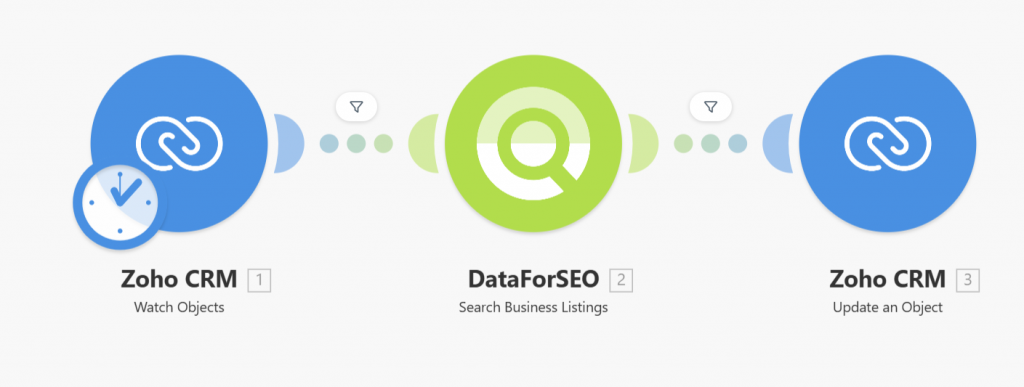
- The scenario is triggered when a new contact or organization is created or updated in Zoho CRM.
- It captures the relevant company identifier (e.g., business name or domain).
- The workflow makes a call to the DataForSEO Business Data API using that identifier.
- It extracts relevant business information including description, categories, ratings, address elements, and phone details.
- The enriched business data is written back into the corresponding fields in Zoho CRM.
What you get
With this workflow, your Zoho CRM records are automatically populated with detailed business insights sourced directly from the DataForSEO Business Data API. Your contact and organization entries will include structured company descriptions, industry classifications, ratings, location data, and contact information – all without manual lookup. These enriched profiles support better segmentation, smarter targeting, and more effective engagement with prospects and customers.
What you need to get started
- DataForSEO account and API credentials (your API login and password).
- A Zoho CRM account with permissions to update contact and organization fields.
- A Make.com account with Zoho CRM and DataForSEO integrations connected.
Setup Guide for First Use
Before using the template, you simply need to create custom fields in Zoho CRM for storing the Business Data.
- Navigate to Settings > Customization > Modules and Fields > Contacts > Fields.
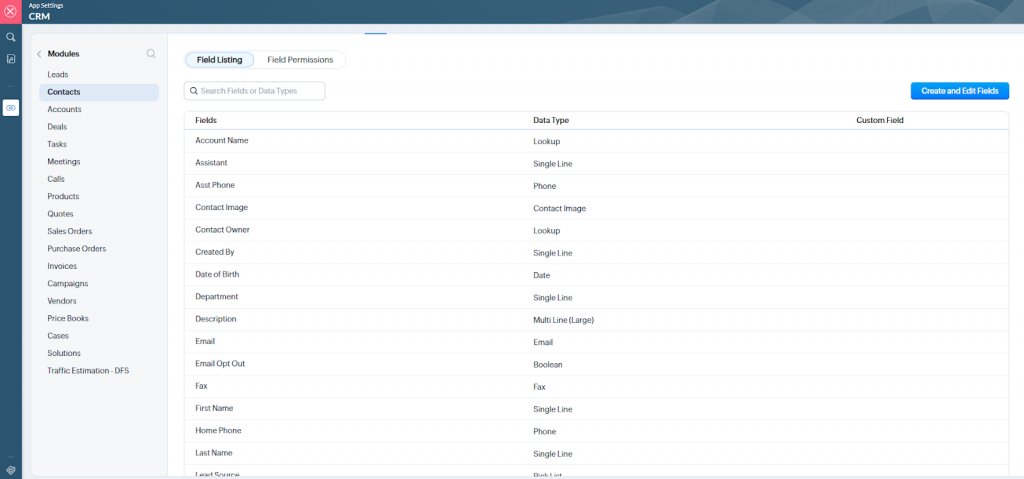
- Click the Create and Edit Fields button.
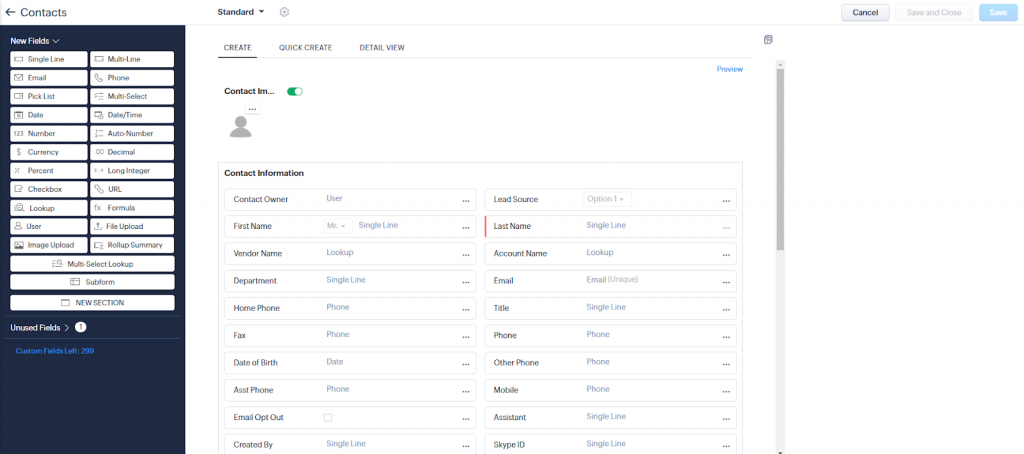
- Create a custom field for entering the website domain by dragging a Single line field from the New fields panel on the left into the desired section of the Contacts module, and give it an appropriate name.
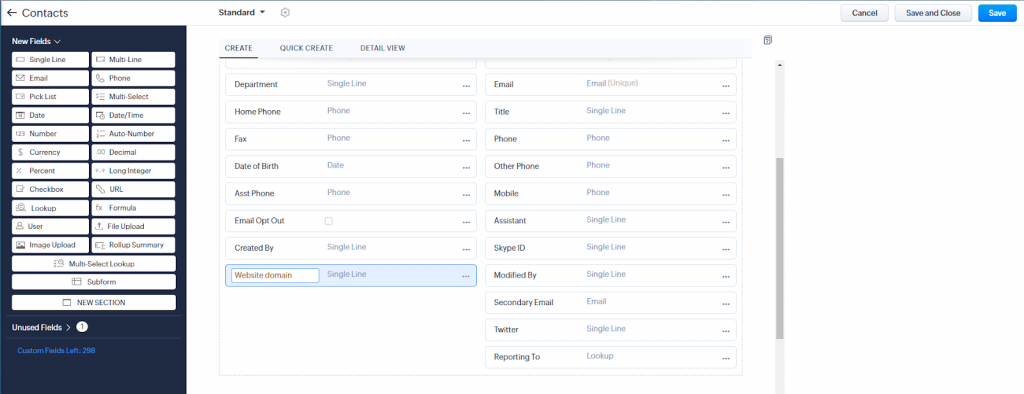
- Similarly, create fields for Business Data:
- Title with type Single Line
- Description with type Multi-Line (Plain Text Small)
- Main Category with type Single Line
- Additional Categories with type Multi-Line (Plain Text Small)
- Address with type Single Line
- Rating on Google with type Decimal
- Price Level with type Single Line
- Save your changes by clicking the Save button.
That’s it! You’re all set to make the most out of our Business Data for Zoho CRM leads template in Make.