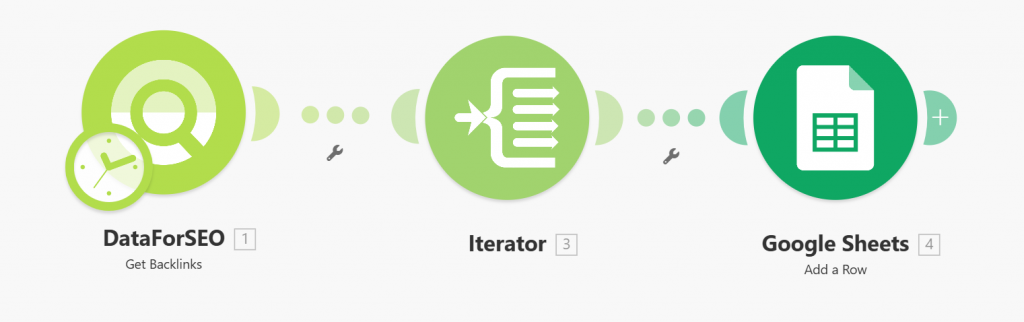
Quick overview
Turn backlink monitoring into a fully automated workflow. This Make template connects DataForSEO Backlinks API with Google Sheets, allowing you to automatically collect and store backlink data in a structured, shareable spreadsheet — no manual exports required.
Instead of downloading reports or copying data, the scenario pulls backlink information for a specified domain or URL and instantly adds each result as a new row in Google Sheets. Your data stays organized, up-to-date, and ready for analysis at any time.
Who it’s built for
This template is designed for SEO specialists, digital marketing teams, and agencies that need a scalable way to monitor backlink profiles, track link-building performance, and prepare client-ready reports with minimal manual effort.
Workflow breakdown
- The scenario sends a request to DataForSEO Backlinks API for a chosen domain or URL.
- Backlink data is retrieved in real time.
- Each backlink entry is automatically added to Google Sheets as a structured row. The template uses this example spreadsheet.
What you get
With this template, you get a fully automated backlink monitoring system that continuously collects and organizes your backlink data without manual effort. Your reports stay consistently up to date, all insights are centralized in a single shareable Google Sheets document, and the data is structured in a way that makes filtering, sorting, and SEO analysis simple and efficient.
What you need to get started
- DataForSEO account and API credentials (your API login and password).
- Google Sheets document structured according to the example template
- A Google account connected to the Make platform.