
Quick overview
This Make template automatically enriches your GoHighLevel contacts with comprehensive business information using the DataForSEO Business Data API. Instead of manually searching for company details, this workflow pulls relevant data such as business name, description, industry categories, ratings, address, contact numbers, and more — and updates your GoHighLevel records automatically.
Who it’s built for
This template is designed for marketers, agencies, sales teams, and CRM administrators using GoHighLevel who want to enhance contact profiles with accurate and detailed business insights. It helps improve segmentation, personalize outreach, and fuel smarter decision-making in campaigns and client engagements.
Workflow breakdown
- The scenario triggers when a new contact is created or an existing contact is updated in GoHighLevel.
- It retrieves the contact’s current data, including company name or domain.
- The workflow uses this information to call the DataForSEO Business Data API.
- Relevant business details like overview, categories, ratings, address, phone, and more are extracted from the API response.
- The enriched business information is written back to the corresponding contact fields in GoHighLevel.
What you get
You get automatically enriched contact profiles in GoHighLevel that include key business attributes pulled directly from the DataForSEO Business Data API. These enhanced profiles provide deeper business context – such as company description, industry categories, ratings, address information, and phone contacts – without manual lookup. This supports better targeting, segmentation, and more personalized communication with your leads and clients.
What you need to get started
- DataForSEO account and API credentials (your API login and password).
- A GoHighLevel account with proper API access
- A Make.com account with connected GoHighLevel and DataForSEO integrations
Setup Guide for First Use
Welcome! Getting started is quick and easy.
Before using the template, you simply need to create custom fields in GoHighLevel for storing the Business Data.
- Go to Settings > Custom Fields and click Add field.
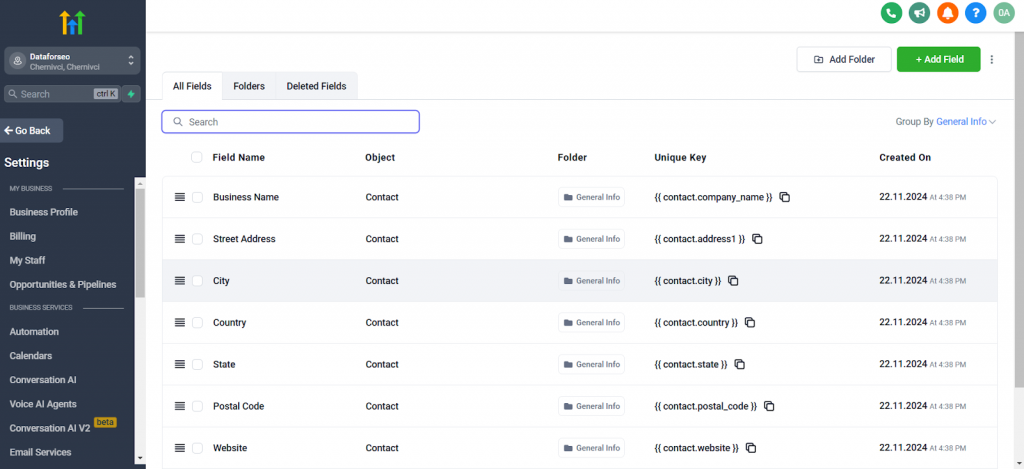
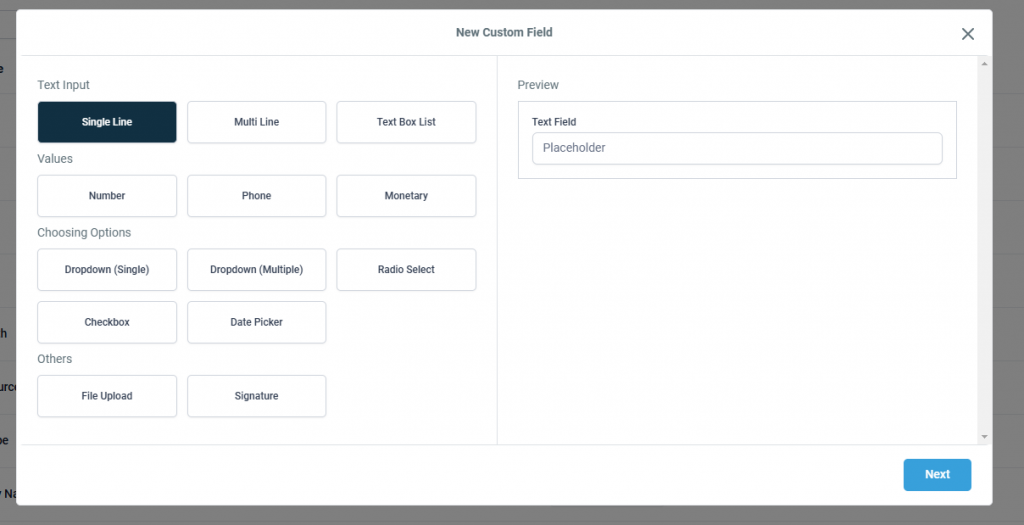
- In the window that opens, select the Single Line field type.
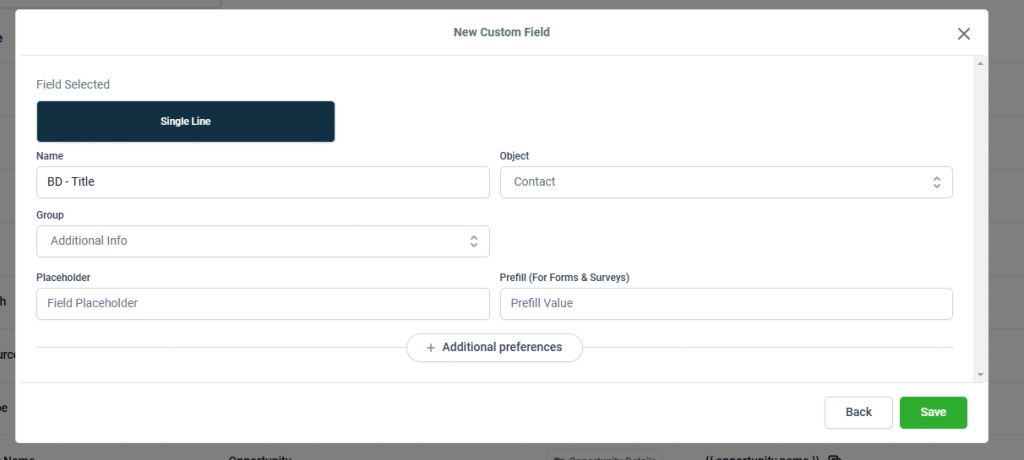
- Enter the field name in the Name field, select Contact in the Object field, and choose the group where the field should be displayed in the Group field.
- Similarly, create other fields for storing Business Data:
- Description with type Multi Line
- Main Category with type Single Line
- Additional Categories with type Multi Line
- Address with type Single Line
- Rating on Google with type Number
- Price Level with type Single Line
That’s it! You’re all set to make the most out of our Business Data for GoHighLevel leads template in Make. Enjoy the power of business listing data within your CRM.