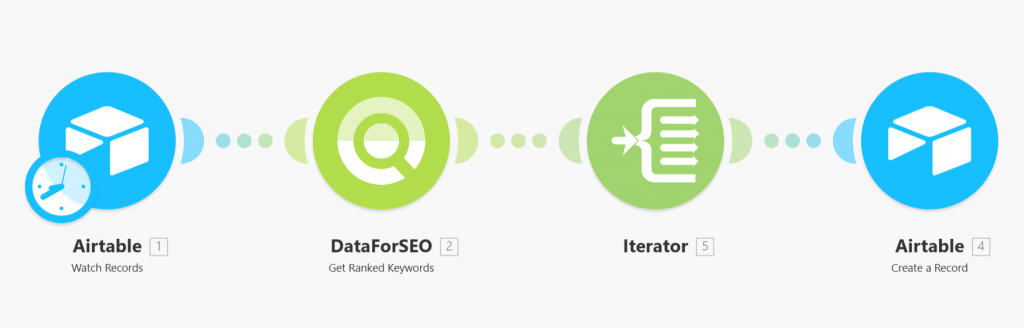
Quick overview
This template automatically retrieves ranked keywords for a domain stored in Airtable using the DataForSEO API. Whenever a new record is added to your Airtable table, the workflow instantly pulls the keyword rankings for the specified target domain and makes the data available for further analysis or reporting.
Who it’s built for
This template is designed for SEO specialists, digital marketers, and data teams who use Airtable to manage SEO research, domain tracking, or competitive analysis. It’s especially useful for teams that want to automatically collect keyword ranking data without manually running SEO reports.
Workflow breakdown
- The workflow triggers when a new record appears in Airtable.
- It reads the Target domain, Location, and Language fields from the record.
- The DataForSEO API is called to retrieve ranked keywords for the specified domain.
- The API response is processed and the ranking data becomes available for storage, analysis, or further automation steps.
What you get
You get an automated process that pulls ranked keyword data for any domain added to your Airtable table. This allows you to quickly build a structured dataset of keyword rankings for multiple domains while eliminating the need for manual API requests or SEO tool exports.
What you need to get started
- DataForSEO account and API credentials (your API login and password).
- An Airtable table with targets containing the fields Target, Location, and Language.
- An Airtable table for ranked keywords containing the fields Target, Keyword, CPC, Competition.
- A Make.com account with Airtable and DataForSEO integrations connected.