
Quick overview
This Make.com template automatically enriches your Monday CRM items with search traffic estimates by pulling data from the DataForSEO API. Instead of manually gathering search demand metrics from multiple tools, this workflow retrieves relevant traffic insights linked to your domains and updates your Monday CRM records giving your team a clearer picture of audience interest without manual effort.
Who it’s built for
This template is ideal for sales teams, marketing specialists, CRM administrators, and growth professionals using Monday CRM who want to integrate SEO traffic insights directly into their workflows. It’s especially useful for teams prioritizing content planning, campaign optimization, or understanding potential audience interest based on search traffic data.
Workflow breakdown
- The scenario triggers on new contact creation.
- It retrieves domain information from Monday CRM records.
- The workflow calls the DataForSEO traffic estimation endpoint to obtain search traffic metrics.
- The enriched traffic estimates are written back into the corresponding fields in Monday CRM.
What you get
You get an automated process that enriches your Monday CRM items with search traffic estimates sourced directly from the DataForSEO API. These insights help you understand search demand and potential audience interest without manual lookup, allowing you to make more informed decisions, improve prioritization, and tailor your outreach and campaign strategies effectively within your CRM.
What you need to get started
- DataForSEO account and API credentials (your API login and password).
- A Monday CRM account connected in Make.com.
- A Make.com account with Monday CRM and DataForSEO integrations connected.
Setup Guide for First Use
Before using the template, you simply need to create custom fields in Monday CRM for the website domain to perform searches and for storing the ETV value (Estimated Traffic Volume metric retrieved with DataForSEO API).
1. To create a field for entering the website domain, navigate to the Contacts board and click the + (plus) icon at the end of the table.

2. Open the More columns tab and select a field of the Text type.
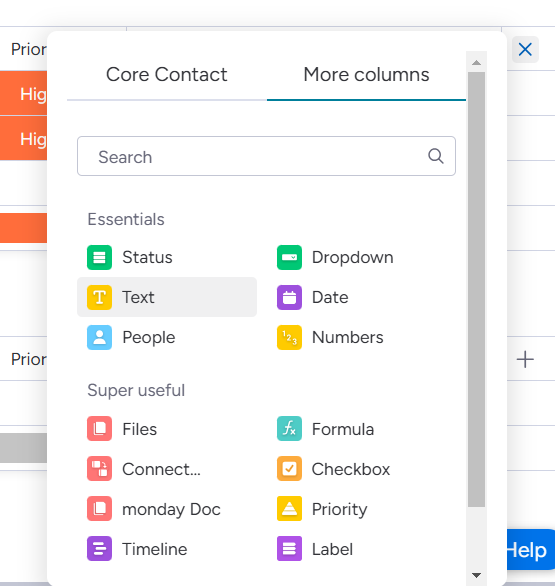
3. Rename the field in the table after adding it.

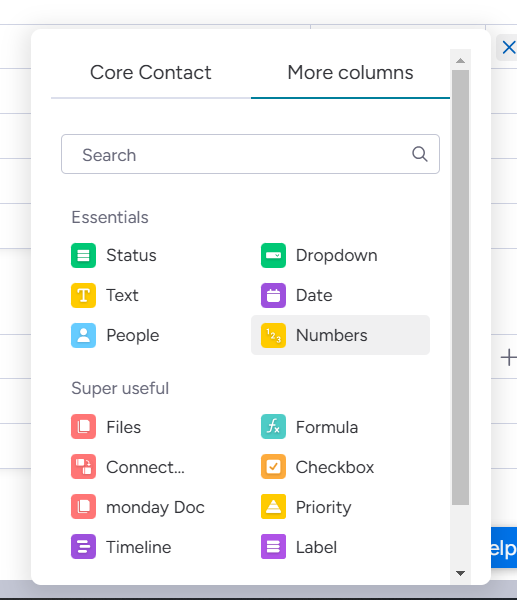
4. Similarly, create a field for ETV, but choose the Numbers type.
That’s it! You’re all set to make the most out of our Traffic Stats for Monday CRM leads template in Make.