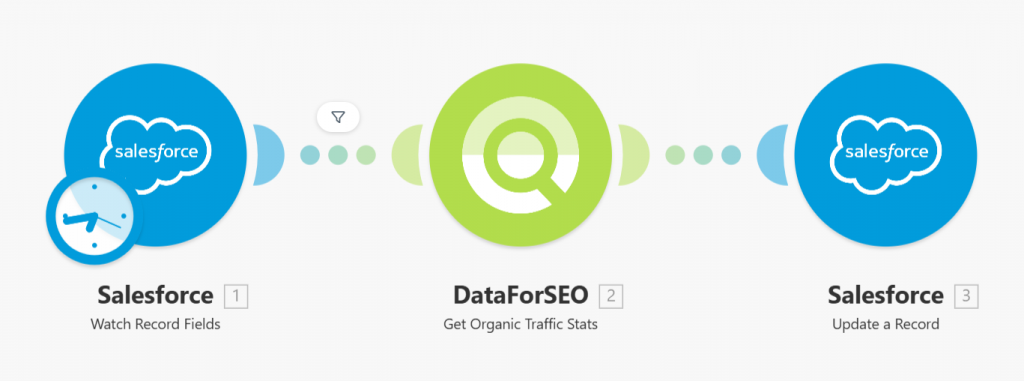
Quick overview
This Make.com template automatically enriches your Salesforce contacts and opportunities with search traffic estimates using data from the DataForSEO API. Instead of manually sourcing SEO data from multiple tools, this workflow retrieves estimated search demand metrics tied to domains and updates your Salesforce records allowing your team to assess audience interest without extra effort.
Who it’s built for
This template is ideal for sales professionals, CRM administrators, marketers, and growth teams using Salesforce who want to integrate search visibility insights directly into their pipeline and contact data. It’s especially useful for teams that want to prioritize deals and nurturing efforts based on keyword interest and potential audience demand.
Workflow breakdown
- The scenario is triggered with new contact.
- It reads domain information from your Salesforce contact.
- The workflow calls the DataForSEO traffic estimation endpoint and retrieves search traffic estimates.
- The enriched traffic metrics are written back into the designated Salesforce fields for each record.
What you get
You get a fully automated enrichment process that populates your Salesforce records with search traffic estimates sourced from the DataForSEO API. These insights give you a clearer picture of keyword demand and audience interest, supporting smarter prioritization, enhanced segmentation, and more effective sales and marketing engagement without manual lookups.
What you need to get started
- DataForSEO account and API credentials (your API login and password).
- A Salesforce account connected in Make.com.
- A Make.com account with Salesforce and DataForSEO integrations connected.
Setup Guide for First Use
Before using the template, you simply need to create custom fields for your Salesforce contacts.
- Navigate to Object Manager > Contacts > Fields & Relationships.
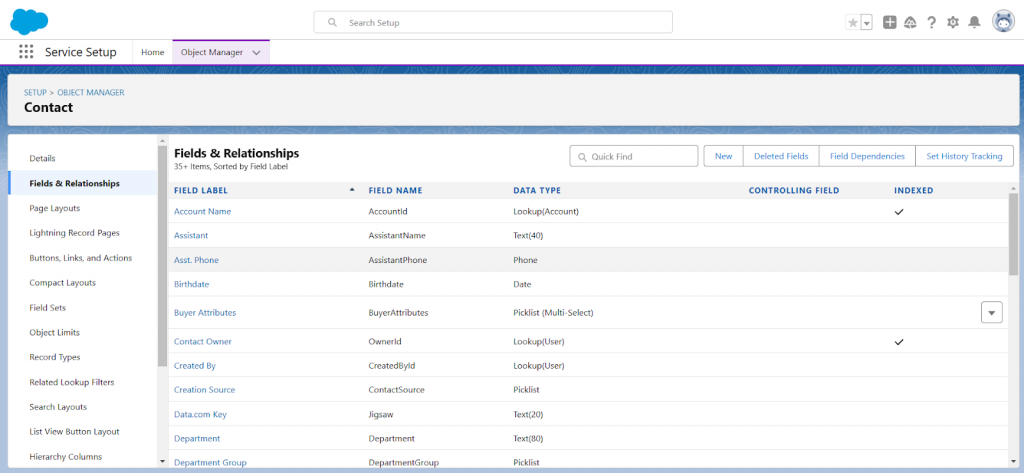
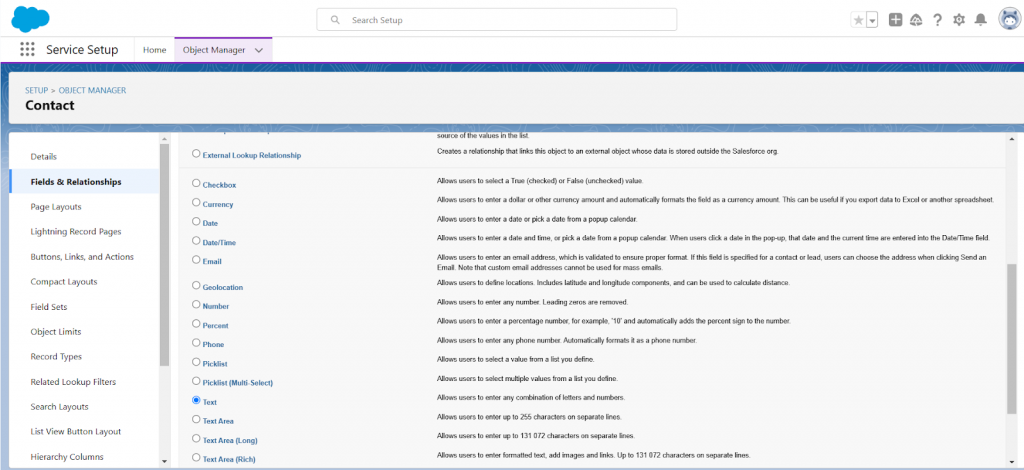
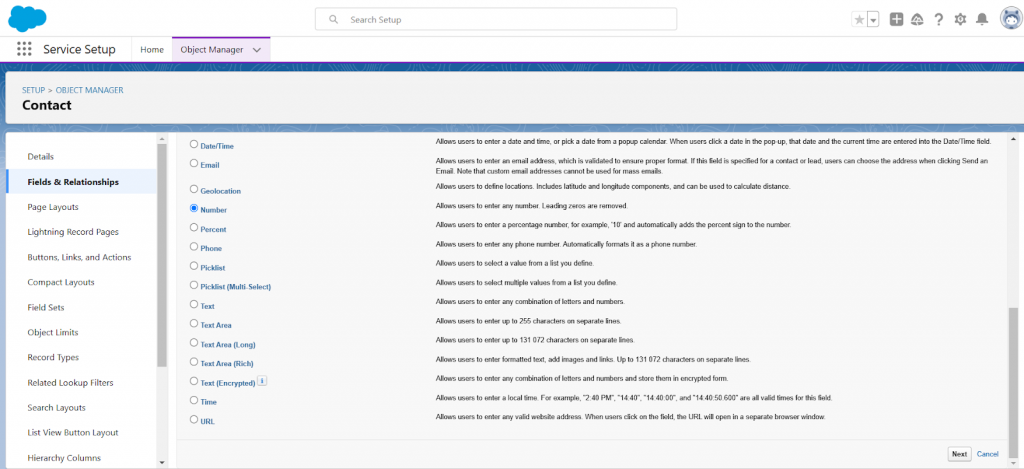
- Click New to create a new field, then select the field type Text, and click Next.
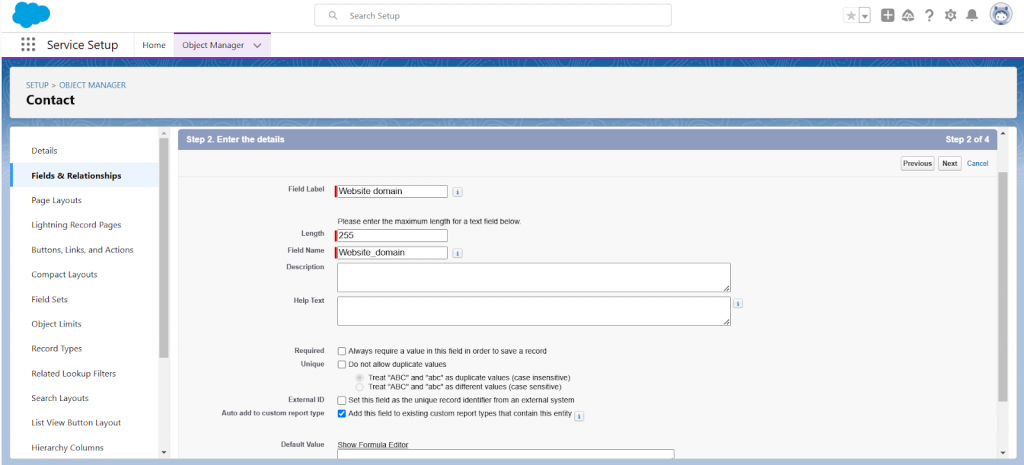
- Enter the field name under Field Label. Set the value for the Length field to 255.
Fill out other fields as needed, and complete the field creation process using the default settings or customizing them as necessary.
- Similarly, create a field with the field type Number to store ETV (Estimated Traffic Volume metric retrieved with DataForSEO API).
Set the Length to 16 and Decimal Places to 2.
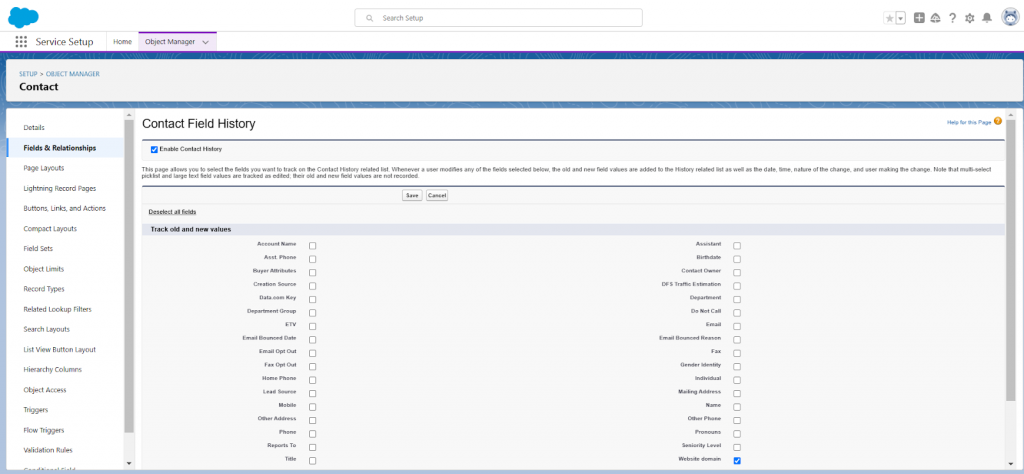
- On the field settings page, click Set History Tracking, and check the Enable Contact History box.
In the field list, select the field with the domain value and save the settings.
That’s it! You’re all set to make the most out of our Traffic Stats for Salesforce leads template in Make.