Who’s it for
SEO analysts and marketers who want to capture and analyze source references from Google’s AI Mode answers, track competitor mentions, or measure brand visibility in generative search features.
What it does
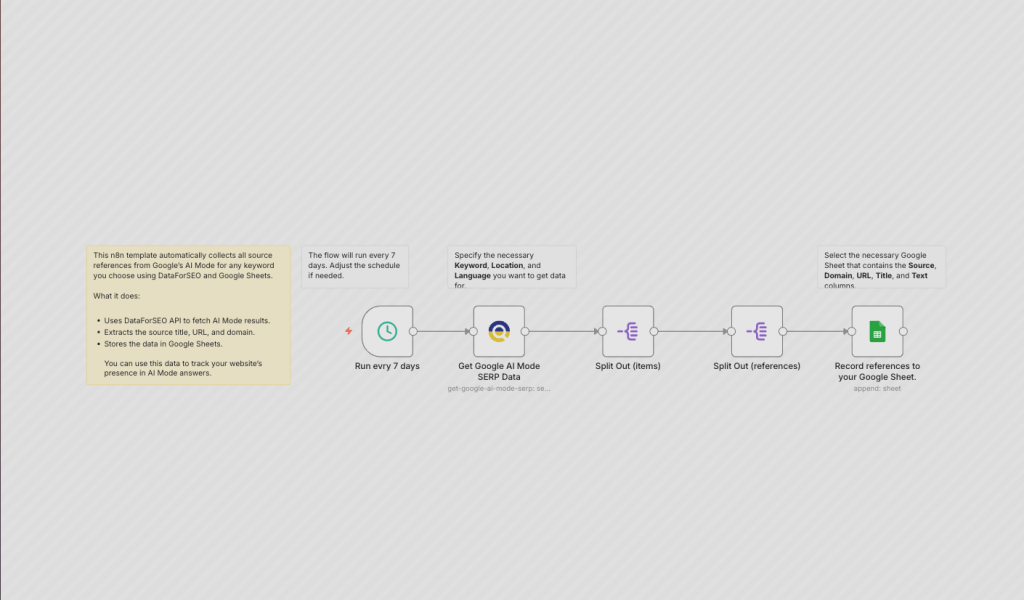
This workflow automates the process of gathering source references from Google’s AI Mode results. Using the DataForSEO SERP API, it extracts the source title, URL, and domain, and records that data in Google Sheets. You can use this template to monitor how often your site appears in AI-generated answers or what competitor domains get mentioned for your target keywords.
How it works
- Triggers on your chosen schedule (default: every 7 days).
- Call the DataForSEO SERP API for your keyword.
- Extracts and cleans Google AI Mode results.
- Stores the data in a Google Sheet.
Requirements
- Self-hosted n8n instance
- DataForSEO account
- A Google Sheet that contains the Source, Domain, URL, Title, and Text columns (as in the example: https://docs.google.com/spreadsheets/d/1XCjkjyVxrtpTUQenHeR3B07xfEZ489mhuVidjhGOO7I/edit?usp=sharing).
- Customization
- You can change the schedule or swap the Google Sheet for BI dashboards or reporting tools.