Quick overview
This skill finds the keywords where Google is already showing an AI Overview, then ranks them by search demand so you can see where the biggest visibility opportunities are first. Give it a set of seed keywords and it expands them using DataForSEO, checks the SERP data for the AI Overview feature, drops everything that doesn’t trigger one, and returns a clean list ordered by search volume. You can choose how wide the research goes: broad keyword ideas, tightly related suggestions, or Google’s related-search graph. What comes back is a usable opportunity list rather than thousands of keywords you still have to check yourself.
Who it’s built for
For SEOs, content teams and agencies working out where AI Overviews are changing the search landscape — and where it’s worth competing for visibility inside them. It comes in handy when you’re planning new content, prioritizing an existing keyword universe, building a GEO or AI search strategy, or trying to answer a simple question that most keyword tools still make awkward: which searches in this topic actually trigger an AI Overview?
What you get
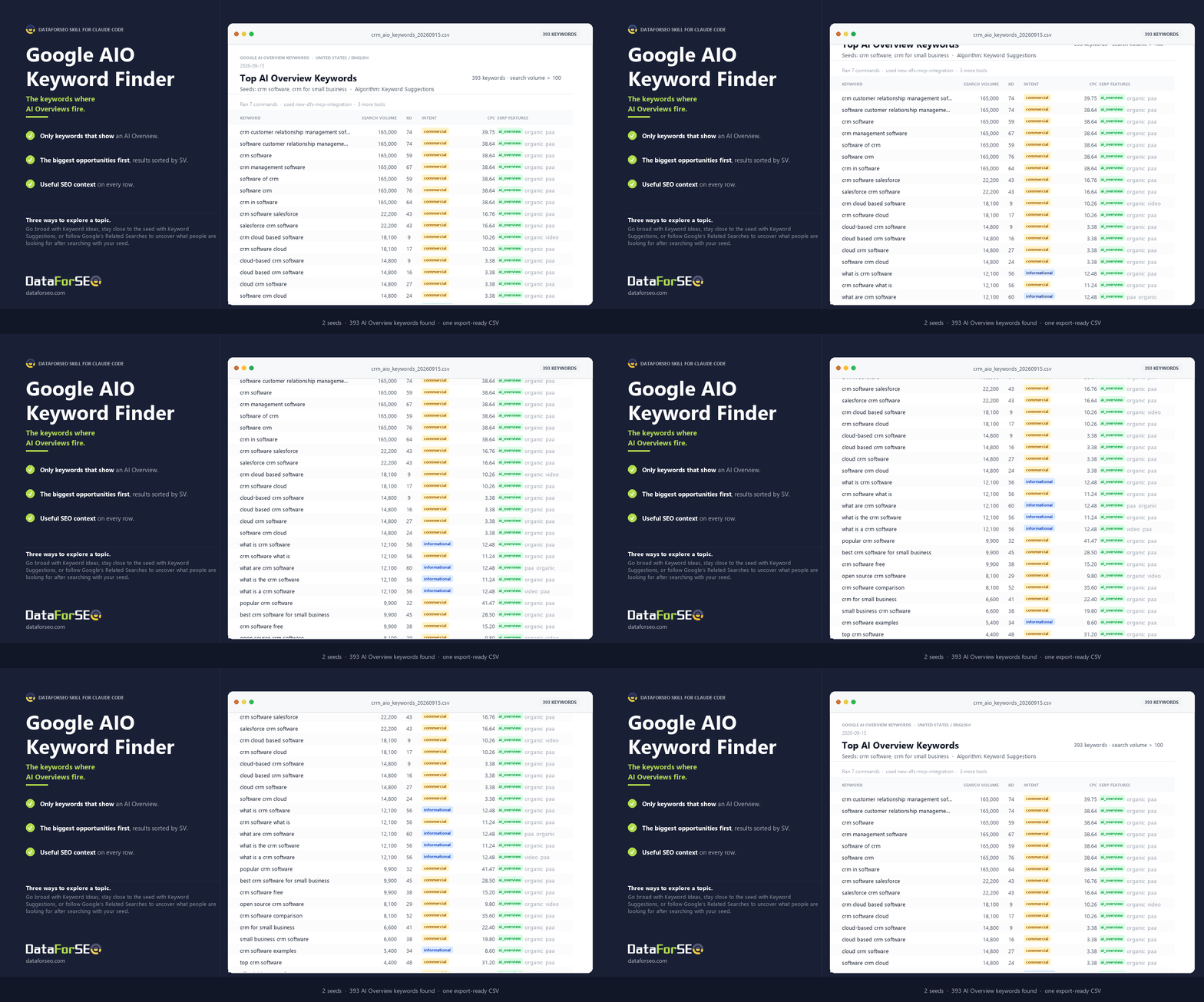
- Only keywords that show an AI Overview. The skill has built-in filters for pulling only those terms that trigger an AIO feature in Google search.
- The biggest opportunities first. Results are sorted by Google search volume, so the top of the file is where the demand is.
- Three ways to explore a topic. Go broad with Keyword Ideas, stay close to the seed with Keyword Suggestions, or follow Google’s Related Searches to uncover what people are looking for after searching with your seed.
- Useful SEO context on every row. Search volume, keyword difficulty, intent, CPC, competition, SERP features, and monthly search history travel with the keyword.
- A relevance guard when broad research gets noisy. It can strip out obvious category drift and keep the output centred on the recurring subject in your seed list.
- A clean CSV. One keyword per row, numeric fields left sortable, ready to filter, import or hand to the rest of your workflow.
- A short summary alongside it. Seed count, number of AI Overview keywords found and the highest-volume opportunities are surfaced in chat without cluttering the file.
What you need to get started
- A DataForSEO account and your API credentials.
- Claude Code, with the DataForSEO connection added once.
- The Google AI Overview Keyword Finder skill installed.
- Your seed keywords (pasted directly or supplied in a .txt, .csv, .xlsx or accessible Google Sheet).
Workflow breakdown
- You give the skill your seed keywords and choose the market, language and research approach.
- It expands those seeds through the appropriate DataForSEO Labs endpoint, requesting SERP information at the same time.
- The request filters for two things at source: enough search volume to clear the chosen floor, and a SERP that contains an AI Overview.
- Anything that survives is passed through a deterministic build step that extracts the useful SEO fields, removes duplicates, checks the AI Overview flag again as a safety net, and sorts the result by search volume.
- If broad expansion has pulled in unrelated category terms, the optional relevance guard can narrow the list back to the recurring subject in your seeds.
- You get a clean CSV of AI Overview keyword opportunities, biggest demand first, plus a short summary of what was found and where the strongest opportunities sit.