
App Development Starter Kit
You’re in. Here’s the fastest path to your first working integration.
Pick your entry point. Four paths, no prerequisites, no required order.
- Your first API callOnly four steps – fit for any development stack. Jump to section
- Developer toolboxClient libraries, examples, and AI agent integrations. Jump to section
- What you can buildGuides and tutorials for eight popular product types. Jump to section
- Troubleshooting tipsLearning materials to help you get rolling. Jump to section
Your first API call
Make your first API call in four simple steps
Pick the environment and follow the steps to make your first call to any DataForSEO API.
The API Playground requires sign-in and spends real balance. Every request you send from it is a real, billed call. The Sandbox is the only free route to practise on, and it answers with dummy data, not live results.
Get your credentials
Sign in, open API access, and copy your API login and the generated API password — it is not the password you sign in with.
app.dataforseo.com/api-accessHow authentication works →What you are asking for
Pick an API and an endpoint from the list on the left; the reference page for it explains every field the form shows you.
Endpoint reference for every API →Send it
Live endpoints answer inside the same response; Standard endpoints cost less, queue the work and hand you a task id.
Live for a handful of rows and anything a user is waiting on. Standard for volume — collect it with
Live vs Standard, and which to use →tasks_ready, or give the API a postback or pingback URL and stop polling.Read the response
The response pane puts
Every status code and what it means →status_codeandstatus_messageabove the data.20000means the result is ready; every other code tells you what the API did with the task.
Get your credentials
Fork the DataForSEO API v3 workspace, then put your API login and generated API password into its environment — not your dashboard password.
app.dataforseo.com/api-accessSet up the collection and its environment →What you are asking for
Open the collection folder for the API you need; the matching reference page lists every field that request accepts.
The DataForSEO API v3 workspace →Send it
Live requests come back with the data; Standard requests return a task id that you collect with a second request.
Live for a handful of rows and anything a user is waiting on. Standard for volume — run the collection’s
Live vs Standard, and which to use →tasks_readyandtask_getrequests, or set a postback or pingback URL instead.Read the response
Postman shows the HTTP status; the answer that matters is
Every status code and what it means →status_codein the body — once on the response, and again on every task it carries.
Get your credentials
Send your API login and generated API password as HTTP Basic auth — the password is issued in the dashboard, not the one you sign in with.
app.dataforseo.com/api-accessHow the auth header is built →What you are asking for
Every endpoint hangs off the same base URL; the reference page for the one you want gives you its exact path and payload.
https://api.dataforseo.com/v3/Endpoint reference for every API →Send it
POST an array of task objects: a live path answers in the same response, while
task_postcosts less and hands the work to the queue.Live for a handful of rows and anything a user is waiting on. Standard for volume — poll
Live vs Standard, and which to use →tasks_readyand fetch withtask_get, or let a postback or pingback URL push results to you.Read the response
HTTP 200 means the request arrived.
Every status code and what it means →status_codeon the response, and on each task, tells you what happened to the work itself.
Get your credentials
Install the client for your language and hand it your API login and generated API password — not the password you sign in with.
app.dataforseo.com/api-accessPick up the client for your language →What you are asking for
Each API family is a group of methods on the client, and every reference page shows the same call already written in your language.
The same call in cURL, Python, Node, C# and PHP →Send it
The client exposes both modes: a live method returns the data in the call, a task method queues it and returns an id.
Live for a handful of rows and anything a user is waiting on. Standard for volume — poll
Live vs Standard, and which to use →tasks_readyon a worker, or receive results on a postback or pingback URL.Read the response
You get a parsed response back. Read
Every status code and what it means →status_codeper task to see what the API did with it, then takeresult.
Get your credentials
Point your client at the hosted server and authorise it over OAuth, so no API password ever goes into a config file.
https://mcp.dataforseo.com/v3/mcpConnect the remote server with OAuth →What you are asking for
Ask in plain language — the server exposes the API families as tools, and you can enable only the modules you actually want.
Modules, environment variables and flags →Send it
You do not choose a mode here — the server picks the endpoint and answers in the conversation, and every tool call is a real, billed call.
The choice comes back the moment you move the same job into code: Live for anything interactive, Standard plus
Live vs Standard, and which to use →tasks_readyor a postback URL for volume.Read the response
The tool hands back the API’s own
Every status code and what it means →status_codeandstatus_messagenext to the data, so the client can explain what happened without you parsing anything.
Developer toolbox
Tools that will talk to DataForSEO APIs for you
Three ways in — client libraries, test environments, and AI agent integrations.
Client libraries & examples
Use this when you want the HTTP plumbing handled for you.
- Python
Generated client, installed with pip; each endpoint is a method call.
Repo Docs examples - TypeScript
Same generated surface for Node, published to npm and typed throughout.
Repo Docs examples - C# / .NET
NuGet package for .NET services, generated from the same specification.
Repo Docs examples - Java
Official Java client, generated from the same API specification.
Repo - PHP
Extensive PHP client library for DataForSEO APIs, maintained by our PHP developers.
PHP examples
Our documentation includes API call examples in cURL, PHP, Node JS, C#, and Python.
Test & explore
Use this when you want to see a real response before you start building.
-
Spends balance
API Playground
Build an API request in our graphic interface and get real data.
Dashboard → -
Free
Sandbox
The same API with dummy data — practise without spending.
Docs → -
Postman workspace
Fork the official collection and run it with your credentials.
Postman → -
OpenAPI specification
One YAML for every endpoint — generate a client of your own.
GitHub → -
llms.txt
The whole documentation tree in one file, useful for your AI agent.
Docs → -
API reference
Every endpoint and field, with a runnable example per language.
Docs →
The Playground requires sign-in and spends real balance. Every request it sends is a real, billed call. The Sandbox is the only free practice route, and it answers with dummy data. What the Playground does → Sandbox best practices →
AI agents & MCP
Use this when you want to use AI agents to obtain data or streamline the integration
- Remote MCP serverOur hosted MCP server. Nothing to install, just point a client at it.hosted
- Connect over OAuthAuthorise the client instead of pasting an API password into a config file.no credentials
- Local MCP serverHosted it locally if you want to keep it inside your own environment.npx or Docker
- AI skills for Claude CodeReady-made skills that hand back a complete report instead of raw JSON.Claude Code
What you can build
Ideas for products you can start building today
Pick the idea and check the learning materials that will help you facilitate that build.
-
Rank tracking
Track keyword positions in search engines.
-
Keyword research
Search volume, difficulty and intent for a seed list or a whole domain.
-
AI visibility & GEO
Where a brand gets mentioned and cited inside LLM answers.
-
Backlinks
Referring domains, anchors and authority signals for any domain or page.
-
Website audit
Crawl a site and surface its technical issues, speed and Core Web Vitals.
-
Local SEO
Map pack, business profiles and reviews, down to a single coordinate.
-
Lead enrichment
Turn a bare domain into a profile: traffic, authority, tech stack, mentions.
-
Trend detection
Rising and falling demand, from clickstream data and Google Trends.
Troubleshooting
What are you stuck on?
The ten things that most often stall a first integration — and the materials that will help you move forward.
-
01
Connect and send a request
Credentials, the two request modes, and how hard you can push.
Authentication & access
Live vs Standard
-
02
Get the right data back
Right market, right rows, and how to read the response.
Locations & languages
Filters, sorting & paging
-
03
When something fails
Codes, retries, and where to see what broke.
Errors & retries
-
04
Spend, storage and freshness
What a call costs, what you must keep, when to refresh it.
Cost control
Implementation recommendations
Four decisions that shape every integration. Each line links to the material that goes deeper.
Requests & queues
- Choose Live or Standard first. It decides your queue, your latency and your bill. Live vs Standard
- Put up to 100 tasks in one Standard POST instead of looping request by request. Batching tasks
- Let a postback push results to your server. Polling burns requests and adds delay. Postbacks
- Size your worker pool against the published limits — several endpoints sit far below the general one. Rate limits
- Cap concurrency and set a real timeout on Live calls — they hold the connection open. Live endpoints
- Collect with Tasks Ready, not by re-requesting task IDs — unless webhooks do it for you. Tasks Ready
Storage & refresh
- Standard results stay retrievable for 30 days. Live results are never stored. Persist them. Result retention
- Keep the raw response and derive metrics later — recomputing is free, refetching is not. A build, costed
- Set a refresh cadence per endpoint. Nothing else moves as fast as a ranking does. Update frequency
- Database-backed endpoints refresh on their own schedule, separate from live search data. Database refreshes
- Persist location and language codes, never display names — each API has its own list. Locations
- Reconcile your tables against the task list before you trust a backfill. Task reconciliation
Reliability & errors
- Map every status code into your logs before launch, not during your first incident. Status codes
- 40101 is authentication — fix the header. A retry on its own never helps. Error 40101
- Decide per code whether a retry can succeed. 40102 is task-level, not transport. Error 40102
- Resend a lost webhook instead of paying for the task twice. The resend is free. Webhook resend
- Poll the status endpoint before you page anyone about an outage. API Status
- Whitelist your servers so a leaked API password cannot be used elsewhere. IP whitelisting
Cost control
- Set a hard daily spend cap in the dashboard — for all APIs, or one endpoint. API Settings
- Past the cap, tasks return 40203 until the UTC day rolls over. Plan for it. How the cap behaves
- Cap identical payloads per hour so a retry loop cannot quietly drain the balance. Duplicate limit
- Tag every task with a client, feature or job so spend is attributable. Usage tags
- Depth, mode and priority move the price more than volume does. What costs what
- Read your failed task IDs on the dashboard’s errors screen — codes and messages included. Errors screen
Data industry leaders trust
Solutions developers praise

Customer success story


Customer success story
How DataForSEO Helps Pathfinder SEO Guide its Customers, One Simple Task at a Time
Learn more

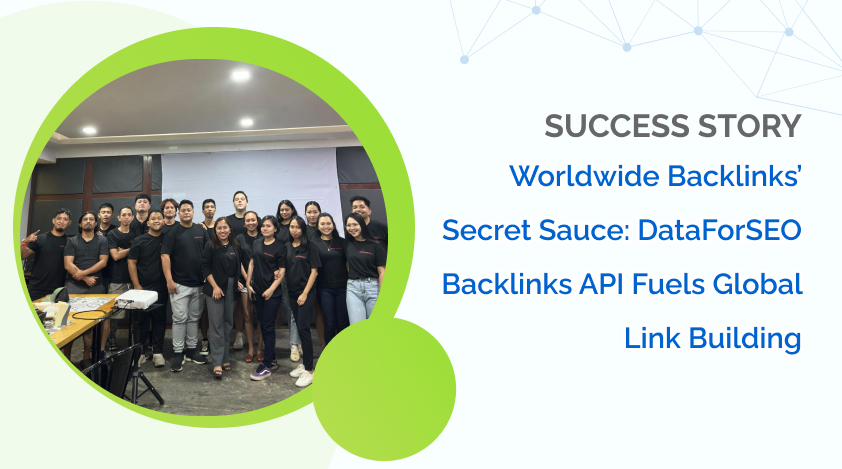
Customer success story
DataForSEO API Helps On the Map Marketing Go Up at the Time of a Downturn
Learn more


FAQ
Frequently asked questions
Where do I find my API login and password?
In the dashboard, under API access. The API password is generated automatically by DataForSEO and is different from your account password. Authentication is HTTP Basic and nothing else: there is no separate auth call, and credentials cannot be passed as URL parameters.
Should I use Live or Standard endpoints?
Live returns the data in the same request, but holds the connection open until it is ready. Standard queues the task, costs less and scales better for bulk work. Pick one before you design the queue — it is the decision everything else hangs off.
How do I collect Standard results without polling?
Set postback_url when you create the task and we send the results to your server; set pingback_url and we notify you instead. If you use neither, the free Tasks Ready endpoint lists completed tasks you have not collected yet.
What are the rate limits, and how do I stay under them?
The general limit is 2,000 requests per minute, and several endpoints are far lower — Live Google Ads allows 12 per minute. Before you add concurrency, put up to 100 tasks in a single Standard POST; that is the cheapest throughput you will find.
Can I test the API without spending money?
Yes. Send the same request to sandbox.dataforseo.com and it is free, though the response is generic sample data rather than real results. The API Playground in the dashboard is the opposite: it makes real calls and charges you for each one.
How long are my results available?
Standard task results are kept for 30 days and can be collected repeatedly in that window; SERP HTML results are kept for 7 days. Live results are not stored at all, so write them to your own database as they arrive.
Help & community
Where to look when the reference runs out.
- AcademyOne free course: nine short videos, credentials to first response.
- Status pageLive incidents and uptime history, per API.
- UpdatesNew endpoints, fields and deprecations, as they ship.
- GitHubOfficial clients, the MCP server and the OpenAPI specification.
- Feature requestsVote on the roadmap, or ask for the endpoint you need.
- SupportAsk a person anything the documentation does not answer.
Credentials in hand. Go make the call.
Send one real request from the Playground to see the response shape, then look the fields up in the reference.
Playground calls are billable · the Sandbox is free · talk to support