Quick overview
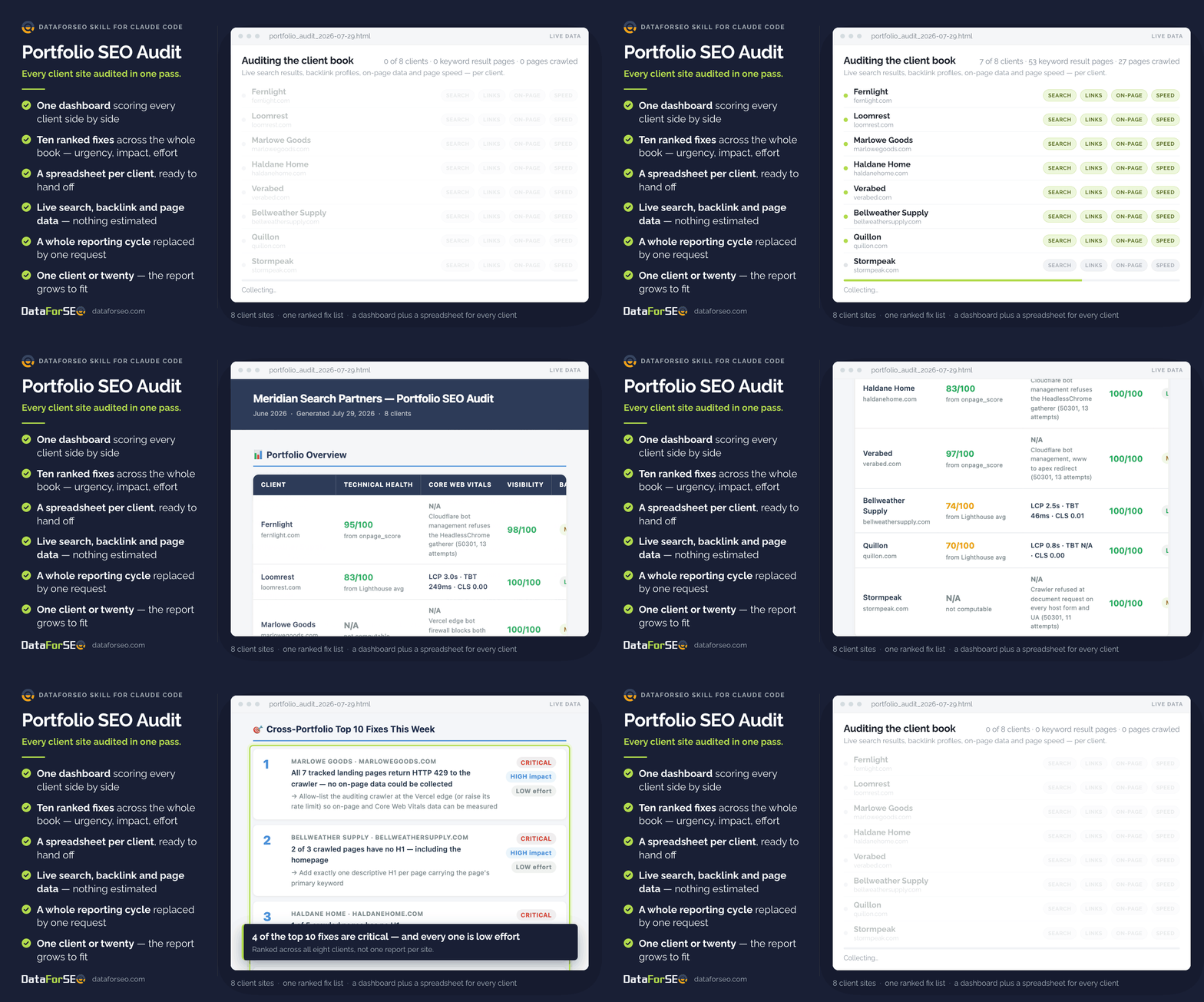
This skill runs a full technical SEO audit across every site in your client book in a single pass. Instead of opening one tool per client and rebuilding the same spreadsheet every week, you hand over your list of domains and get back one dashboard covering all of them — plus a ranked list of the fixes worth doing this week, ordered by payoff rather than by client. It behaves the same way for a single site or a book of twenty; the report simply grows to fit.
Who it’s built for
Made for SEO agencies, in-house teams and freelancers responsible for more than one website. It earns its keep before a client check-in, a QBR or a Monday triage, when you need to know which site needs attention first — and be able to say why — without losing a day finding out.
What you get
- One dashboard for the whole portfolio. Every client scored side by side on technical health, search visibility, backlink risk and how much of the results page they actually own.
- A ranked fix list, not a data dump. The ten highest-impact fixes across all clients, each tagged with urgency, expected impact and how much work it takes — so the quick wins are obvious at a glance.
- A spreadsheet per client. Every site gets its own file, ready to hand to whoever does the work.
- Findings you can defend in a client meeting. Figures come from live search results, backlink profiles and page data, and anything that couldn’t be measured is labelled as such instead of quietly estimated.
- Your reporting cycle back. One request replaces the tool-by-tool, client-by-client routine — no analyst hours spent assembling a deck that’s out of date by Wednesday.
- Nothing new to learn. You ask for the audit in plain English and the finished report arrives as a file you can send on.
What you need to get started
- A DataForSEO account and your API credentials.
- Claude Code, with the DataForSEO connection added once — it stays available afterwards.
- The Portfolio SEO Audit skill installed.
- Your client list: one domain per client, a handful of target keywords for each, and the country or language you report on.
Workflow breakdown
- You give Claude Code your client list — domains, a few target keywords each, and the market you’re reporting on.
- Before anything runs, you’re shown what the audit will cover and roughly what the data will cost, and nothing starts until you approve it.
- For each client, it gathers live search results, backlink profiles, on-page data and page-speed metrics.
- Every site is scored on technical health, visibility and backlink risk, then given a plain green / amber / red status so problem accounts stand out immediately.
- Findings from all clients are pooled and ranked together, so the fixes with the biggest payoff rise to the top no matter which site they came from.
- You receive the portfolio dashboard, a spreadsheet for each client, and a short note on where to focus first.