
We’re introducing the DataForSEO Plugin for Codex, making our data for SEO and GEO workflows available directly in Codex through the ChatGPT desktop app and Codex CLI.
What’s new
The DataForSEO Plugin gives Codex ready-to-use access to DataForSEO without manual MCP setup.
It includes:
- Direct access to DataForSEO APIs through our remote MCP server.
- Simple authorization with your DataForSEO account.
- Automatic tool selection, so Codex can choose the relevant DataForSEO endpoints for your task.
- Built-in API context covering endpoints, parameters, responses, costs, and possible errors.
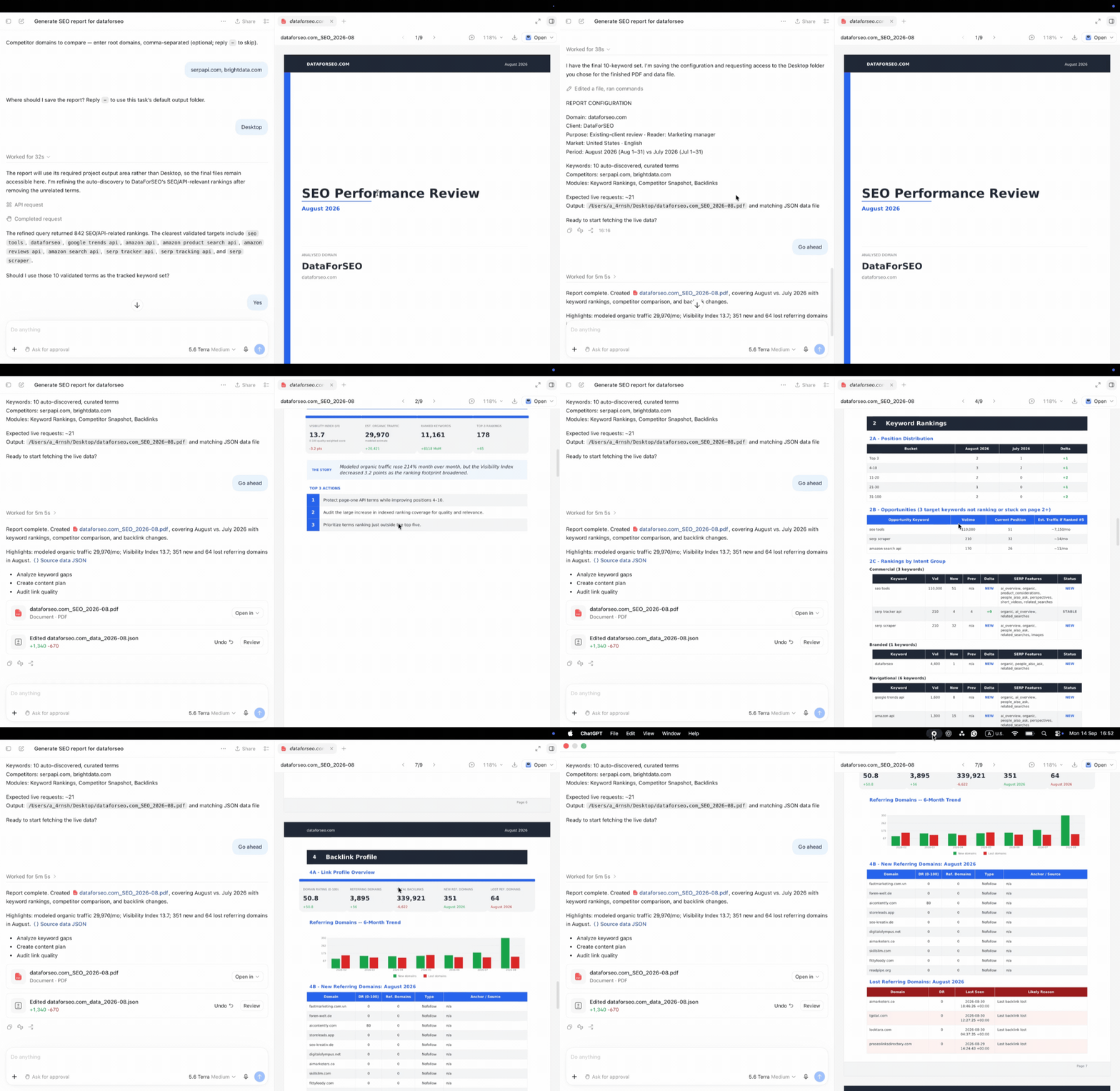
- Support for DataForSEO SEO and GEO Skills for workflows such as report generation, prospect research, competitive analysis, and content planning.
- Codex CLI support when ChatGPT Desktop and Codex CLI are installed on the same device.
You can use the plugin to research keywords, analyze localized SERPs and AI Overviews, compare competitors, audit websites, examine backlinks, research local businesses, and analyze products and prices.
How it works
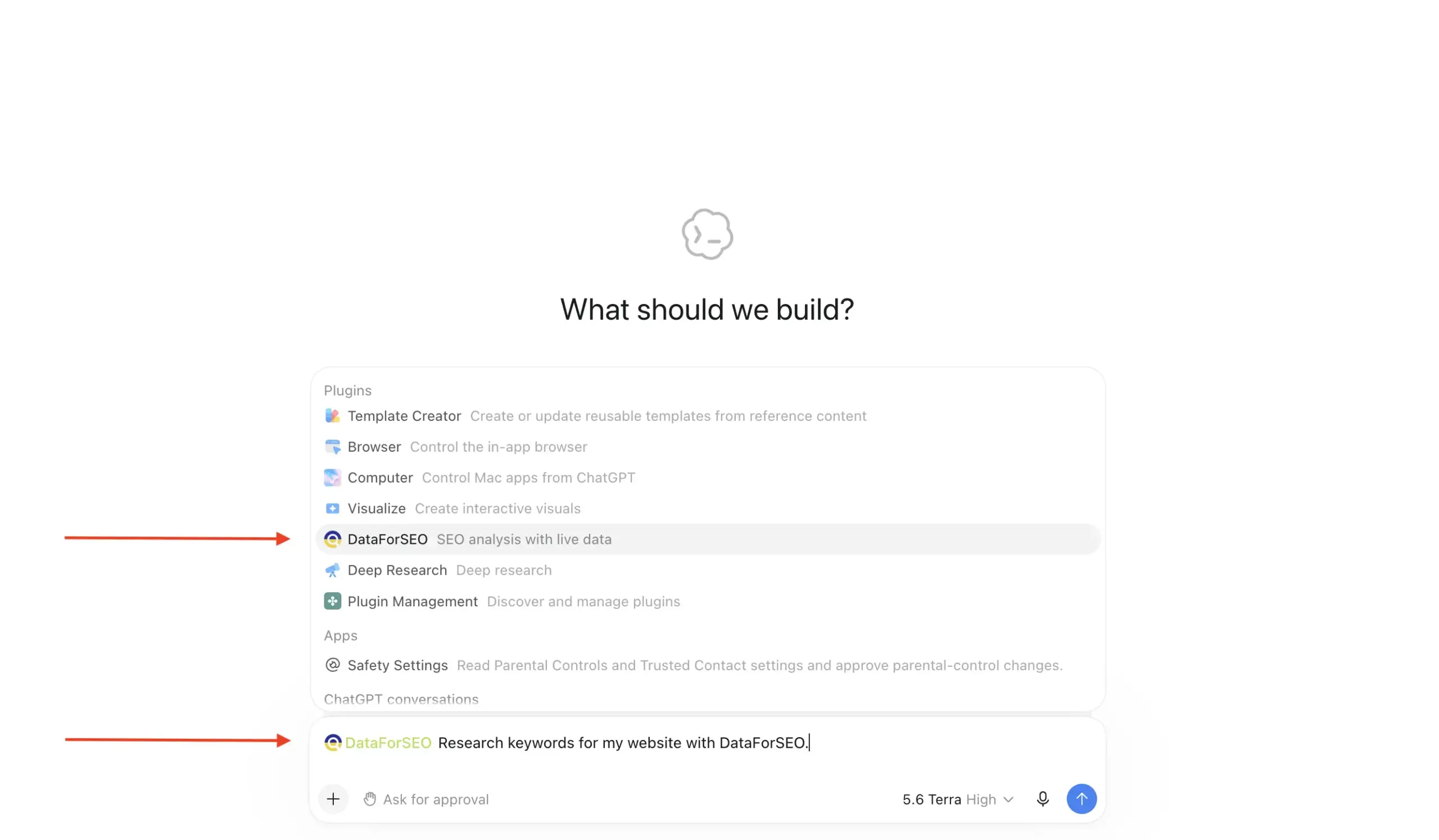
Install the DataForSEO Plugin in Codex and authorize it with your DataForSEO account.
Then, describe your task in a prompt. Codex can identify the relevant DataForSEO APIs, send requests through our MCP server, retrieve the data, and turn it into a structured response.
You can also combine the plugin with our custom SEO and GEO Skills to create complete outputs such as SEO visibility reports, prospect lists, and content plans backed by DataForSEO data.
Why it matters & how to get started
The plugin removes much of the setup involved in using DataForSEO with AI agents.
Instead of manually configuring MCP, choosing endpoints, and building individual API requests, you can focus on the task itself and let Codex handle the API interaction.
This makes it faster to bring reliable SEO and GEO data into research, analysis, reporting, and automation workflows.
Ready to try it? Follow our DataForSEO Plugin installation guide to get started.