
We’re excited to introduce the official DataForSEO Node in n8n! It’s a verified integration, built and fully supported by us.
With the official Node, you can access the full power of DataForSEO APIs directly in your cloud-based n8n workflows.
Key benefits
➤ Native n8n cloud compatibility
➤ Official support from DataForSEO
➤ Scalable automation
➤ Easy setup with no self-hosting required
➤ A growing collection of templates
Actions available in the DataForSEO Node
The official DataForSEO Node includes a wide set of actions, based on our most popular APIs, giving you full flexibility to automate virtually any SEO and marketing workflow in n8n.
- Backlink actions let you retrieve backlink profiles, monitor referring domains, and track link-building changes over time.
- SERP actions enable real-time collection of search results, ranking monitoring, and competitive analysis across locations and devices.
- Keywords Data actions allow you to pull up-to-date keyword metrics at scale, including search volumes, CPC, and competition.
- On-Page actions are designed for crawling websites, extracting on-page SEO signals, and automating technical audits.
- DataForSEO Labs actions deliver advanced keyword research possibilities, competitive intelligence, and search performance data.
- Business Data will help you analyze business listings, reviews, and local visibility.
- Finally, with AI Optimization actions, you can build workflows around AI-driven search insights and optimize for large language models (LLMs).
Explore all available actions and get your SEO automation up and running in n8n in minutes.
Ready to get started?
The DataForSEO Node is accessible directly within the n8n cloud platform.
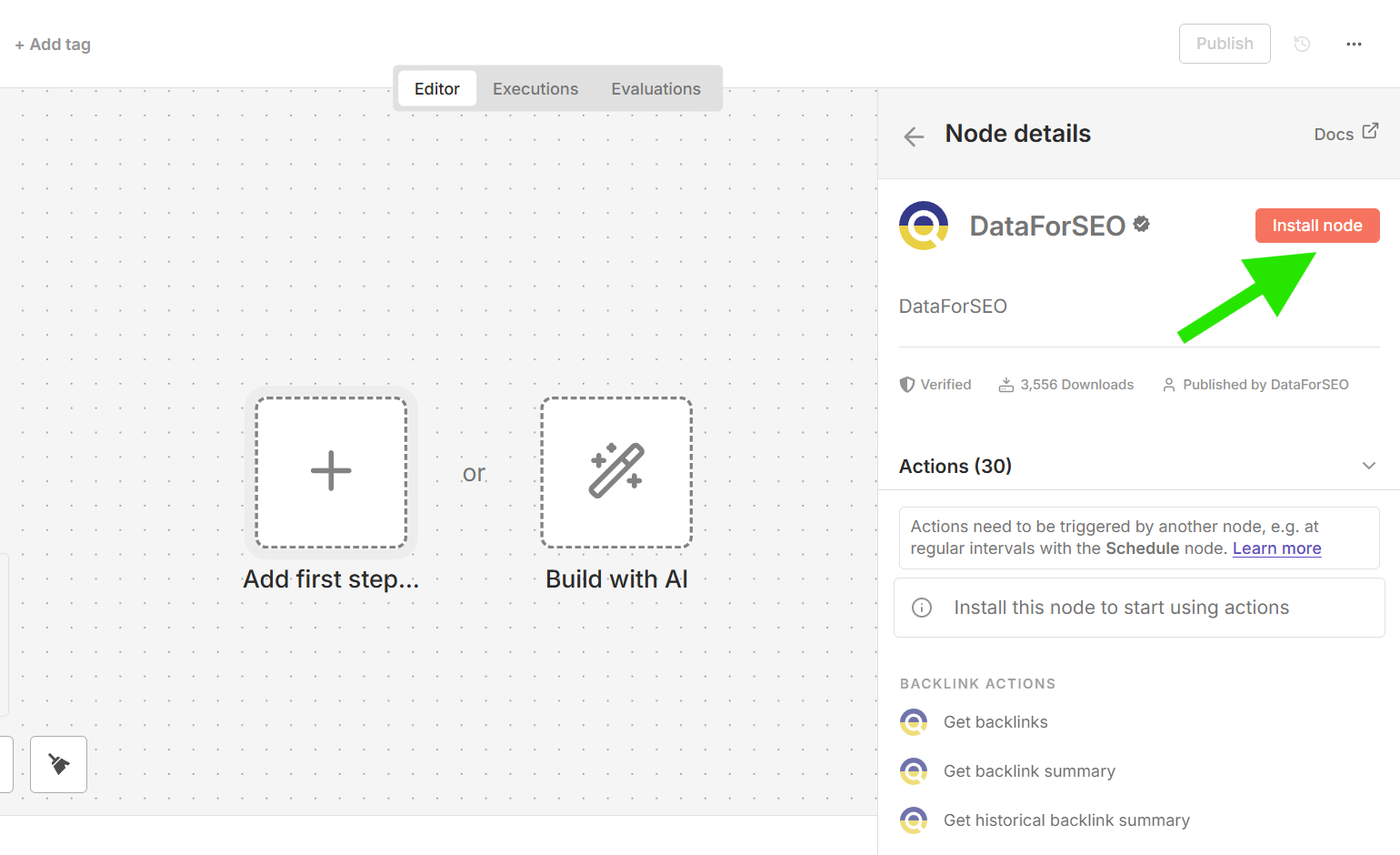
To start using the node:
1 Open your n8n workspace.
2 Search for “DataForSEO” in the node library, and install it.
3 Choose one of the DataForSEO actions.
4 Set up your API credentials and other required parameters.
5 Link the node in your workflow.
Learn more about the DataForSEO and n8n integration.
What about the DataForSEO Community Node?
The DataForSEO Community Node for n8n remains available for users who are self-hosting the n8n platform locally or on their own servers.
If you already have custom workflows running on our Community Node within a self-hosted n8n instance, nothing changes. Your existing implementation will continue to work as before.
If you prefer a local setup or want full control over your infrastructure, you can explore the Community Node setup guide here.