
This guide explains how to install the official DataForSEO plugin for Codex – OpenAI’s AI agent for software development. With this plugin, you can retrieve structured SEO and GEO data and run analysis directly in Codex.
What’s the DataForSEO Codex plugin?
The DataForSEO Codex plugin is our official plugin that lets you perform various SEO and GEO tasks in Codex with DataForSEO data. The plugin allows Codex to access DataForSEO APIs through a connection with our remote MCP server:
https://mcp.dataforseo.com/v3/mcp
Using the plugin, Codex can automatically fetch the DataForSEO documentation index, call our API endpoints, retrieve data, and use it in responses. In particular, the DataForSEO plugin can help you:
- Research keywords, search volume, intent, difficulty, CPC, and trends.
- Analyze localized desktop and mobile SERPs, rankings, SERP features, and Google AI Overviews.
- Compare competitors, ranking keywords, landing pages, content gaps, and market visibility.
- Audit technical and on-page SEO issues across websites.
- Examine backlinks, referring domains, anchors, and link opportunities.
- Research local businesses, listings, ratings, and reviews.
- Analyze products, sellers, and prices across shopping platforms.
The plugin’s functions are similar to our MCP integration, but the workflow is simpler. If you want to try the DataForSEO MCP server with ChatGPT Work and Codex CLI, see this guide.
Prerequisites
Before we begin, make sure you have the following:
1. An active DataForSEO account.
2. An active OpenAI account.
3. ChatGPT Desktop app installed.
Step-by-step workflow
1. Open the ChatGPT Desktop app, switch to Codex, and start a New chat.
2. In the New chat, click on the Toggle side panel button in the upper right corner and click Terminal.
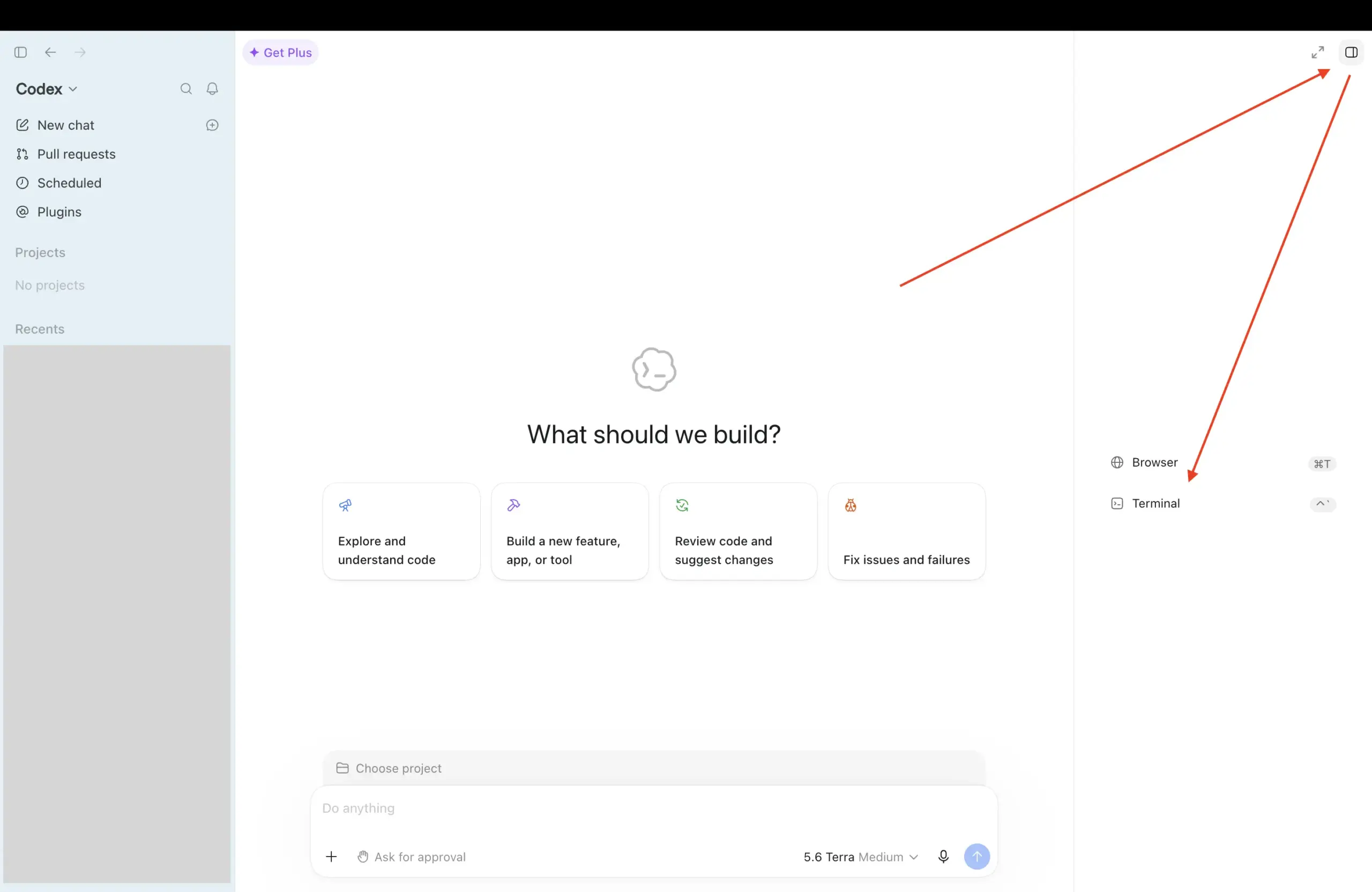
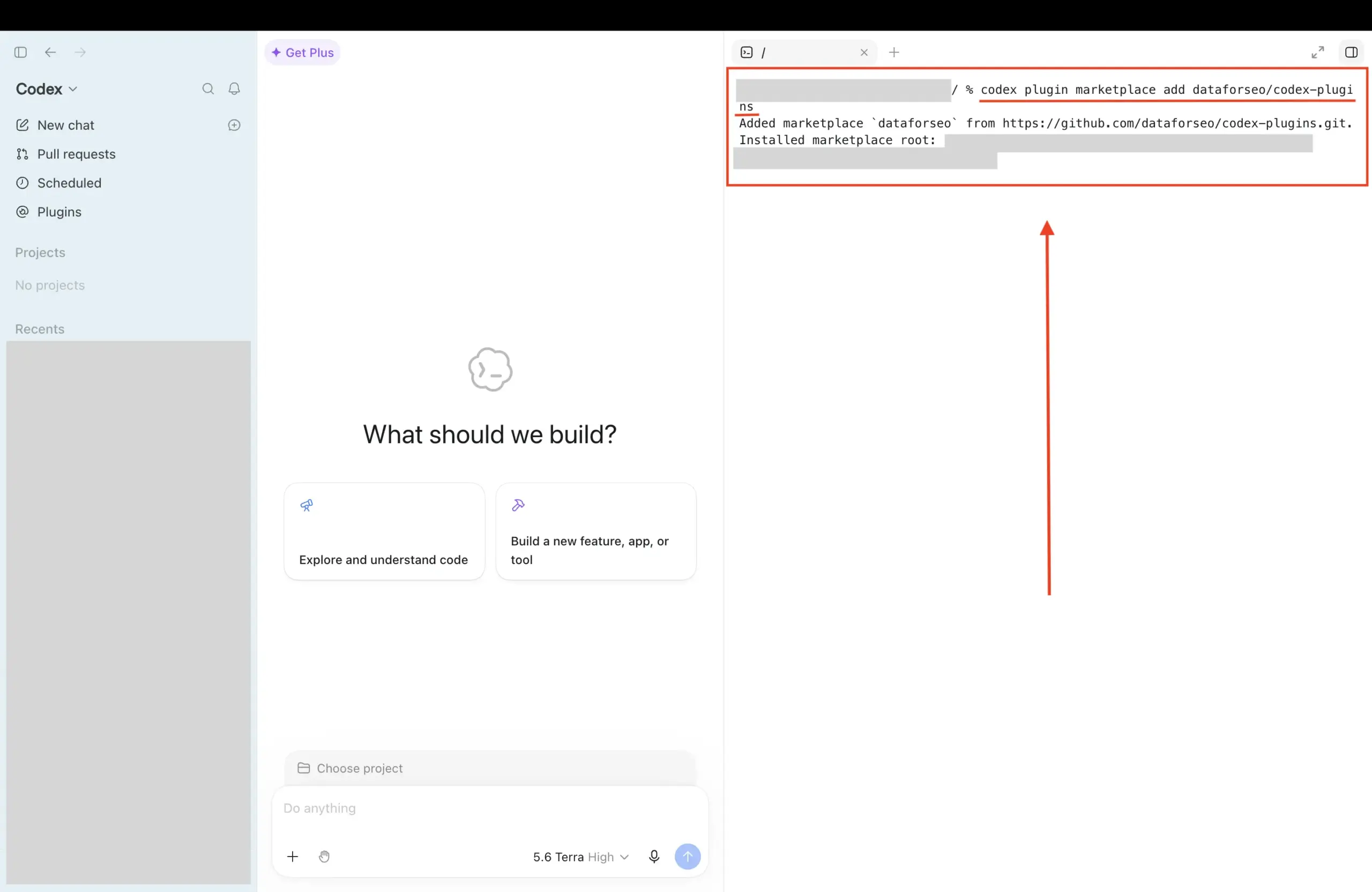
In the terminal, paste the command below. This command adds the DataForSEO plugin’s repository as a Codex plugin marketplace, allowing you to install the plugin.
codex plugin marketplace add dataforseo/codex-plugins
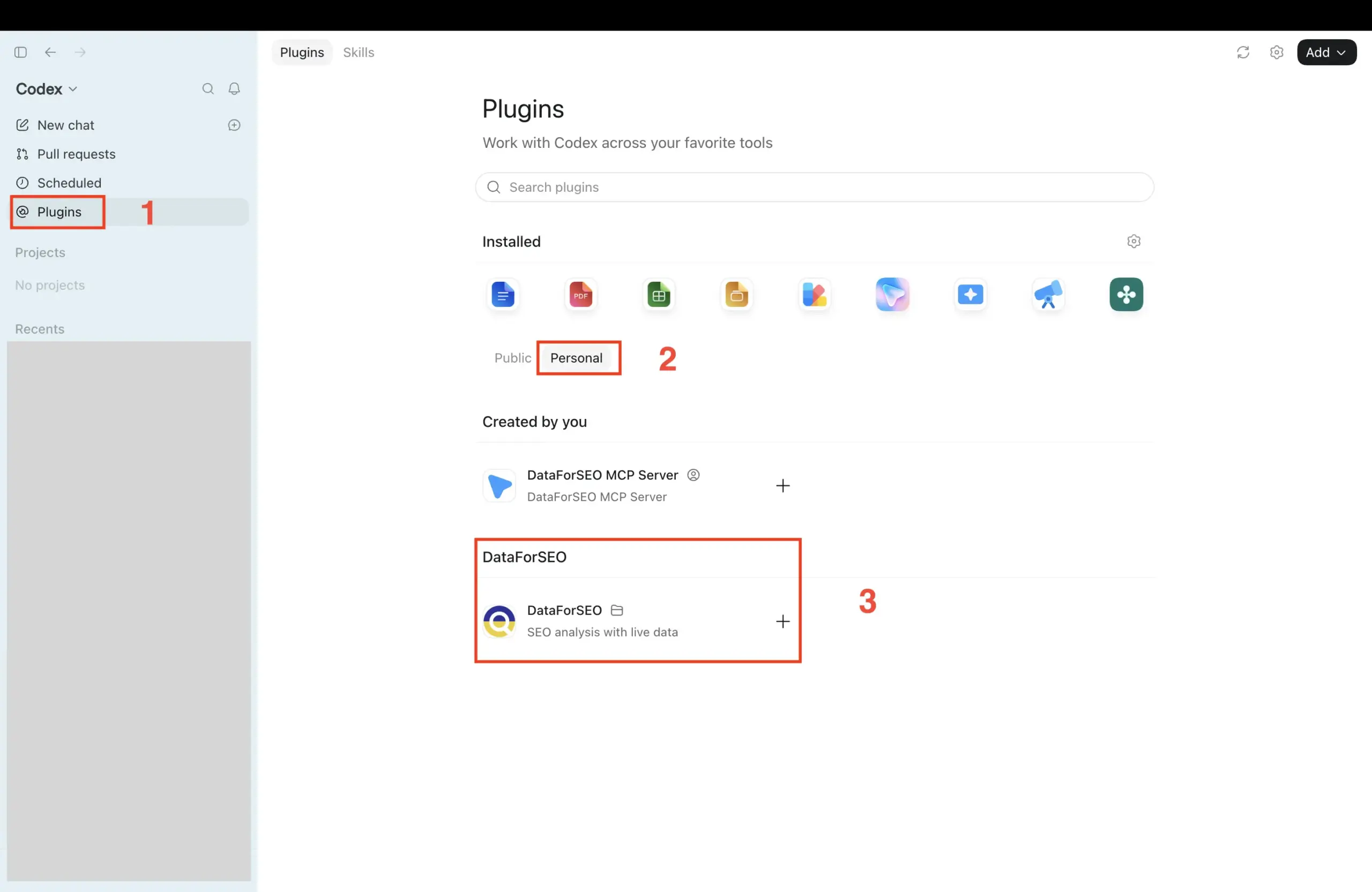
3. After that, go to Plugins → Personal. You should see the DataForSEO plugin available. Click the Plus (+) button next to the plugin to install it. If the plugin doesn’t appear, refresh the Plugins page.
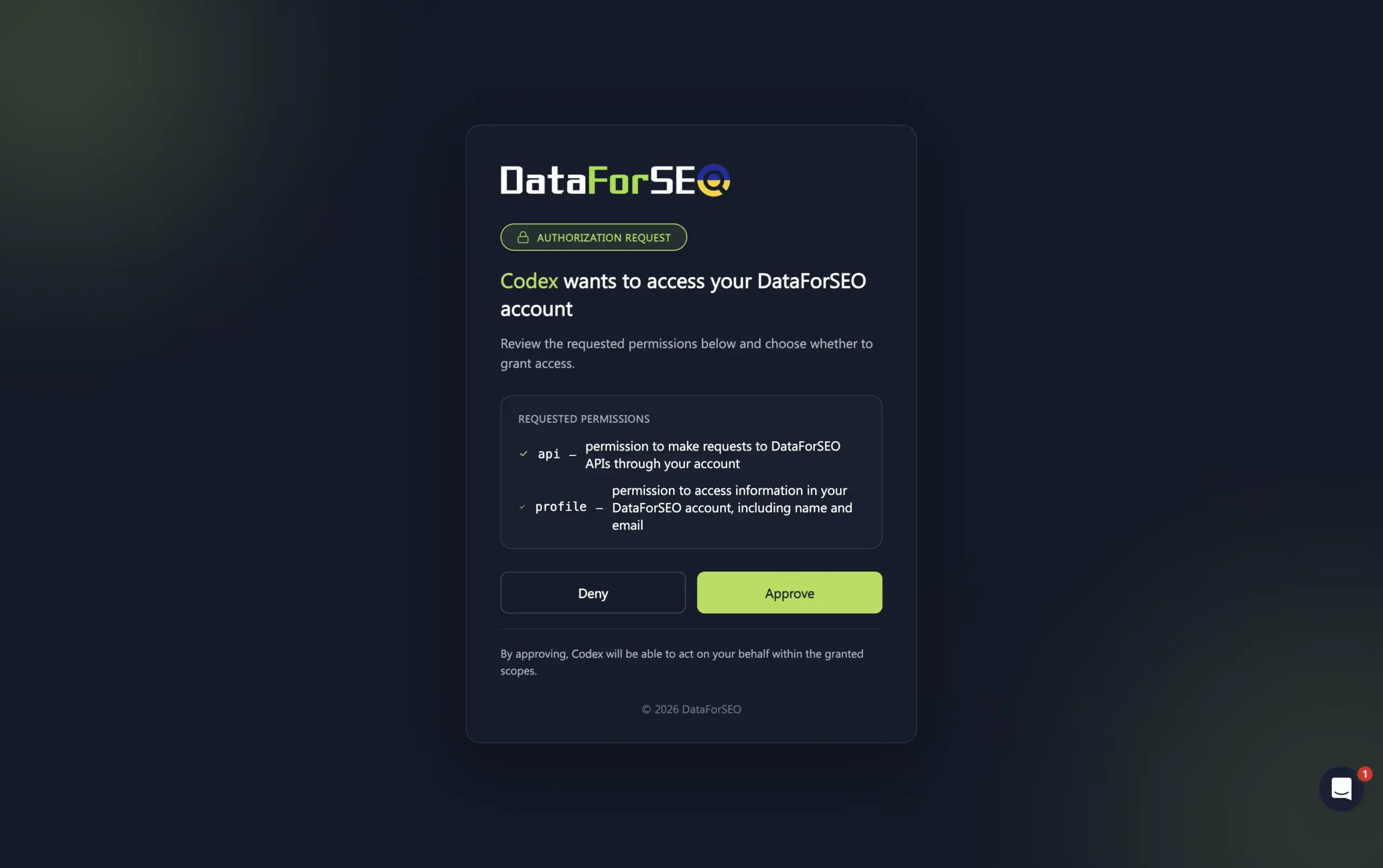
4. You will be redirected to the DataForSEO authentication flow page. Click Approve to establish the connection. After that, return to the ChatGPT Desktop app.
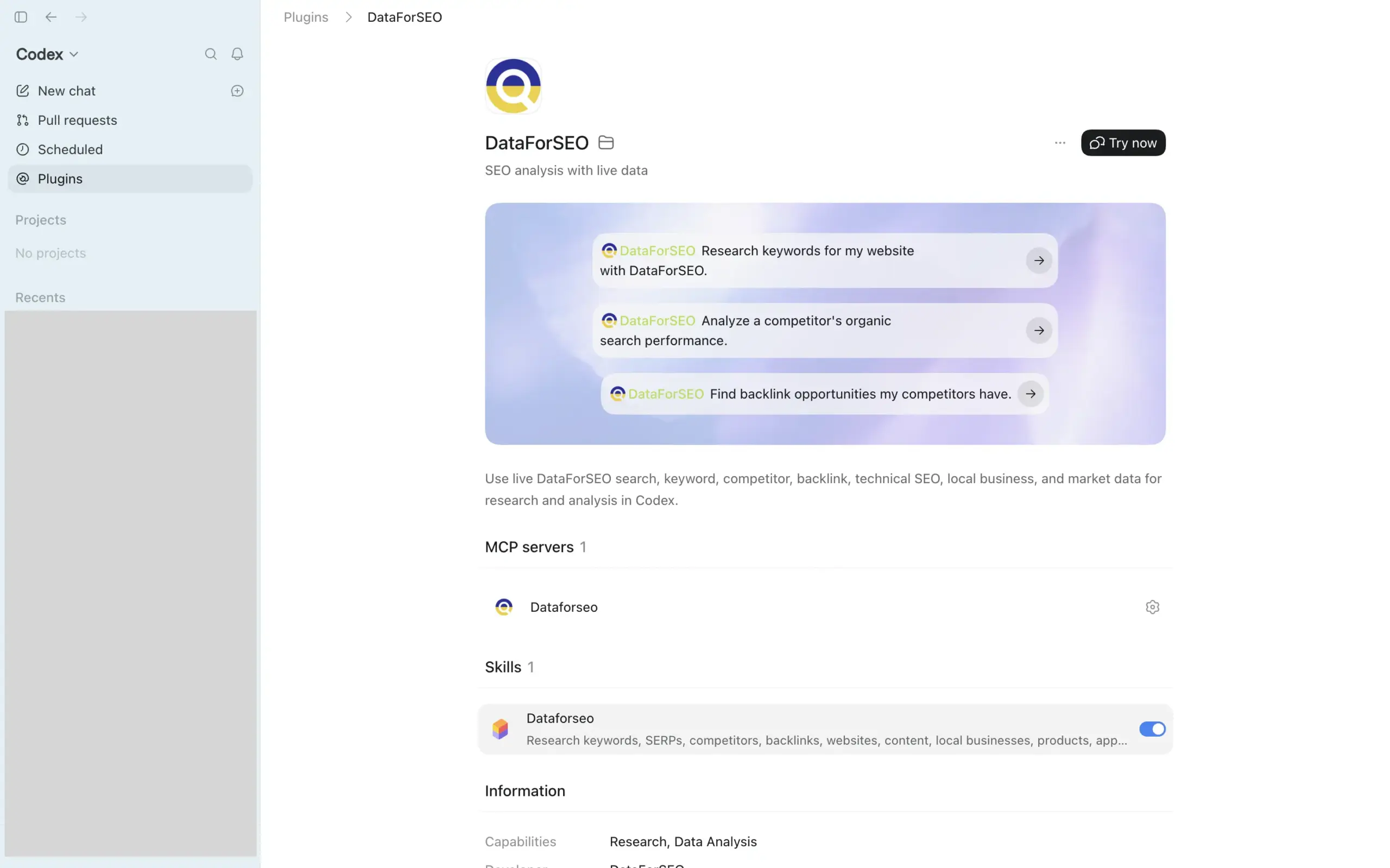
5. The plugin is installed. Go back to the Plugins section, then click DataForSEO. You’ll see the information about the plugin. You can click the Try now button to test the plugin in a new chat.
6. You can call the DataForSEO plugin by clicking the Plus (+) button in the chat and selecting the plugin from the list.
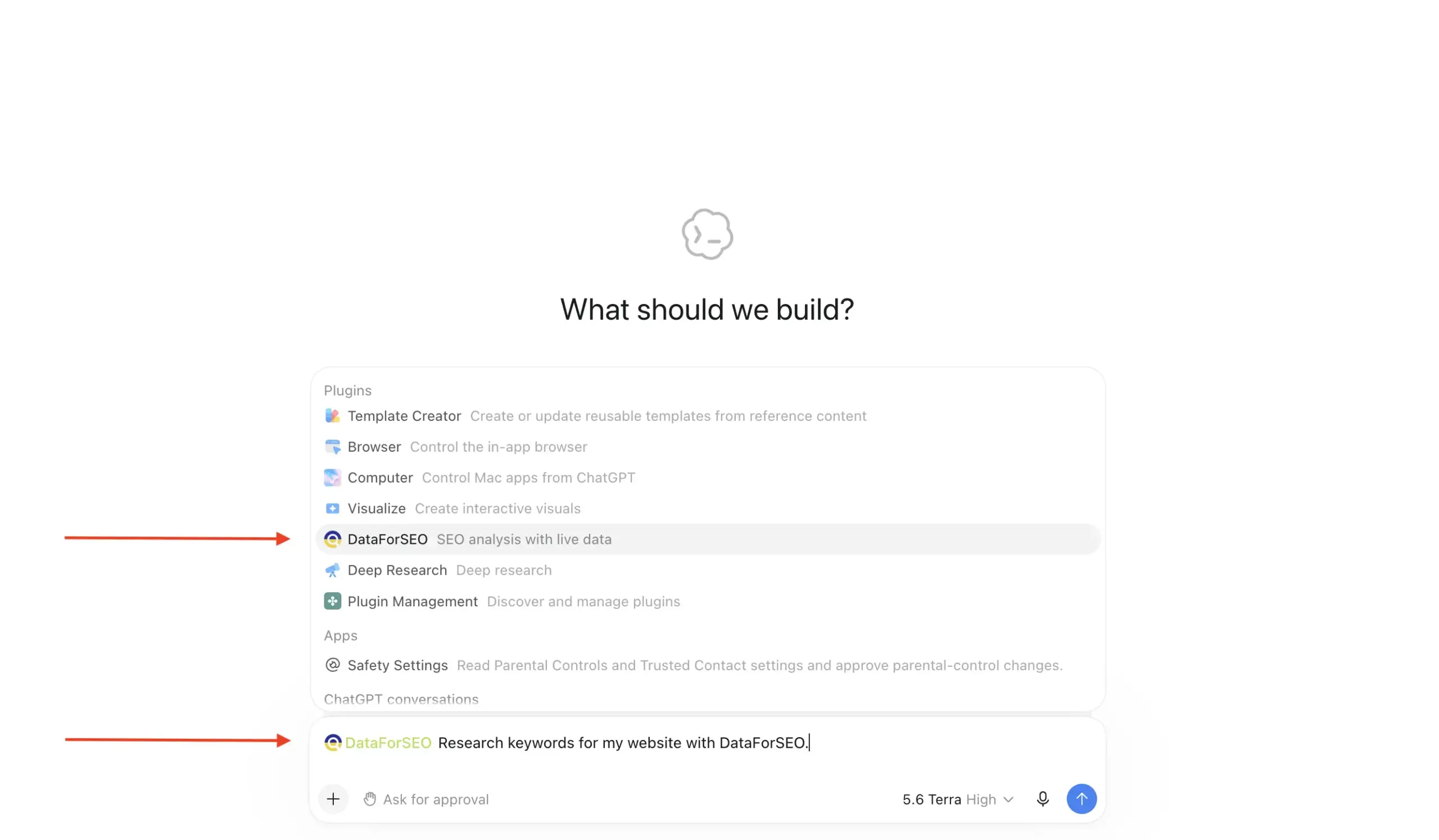
7. After calling the plugin, describe your task in a prompt and send it to Codex.
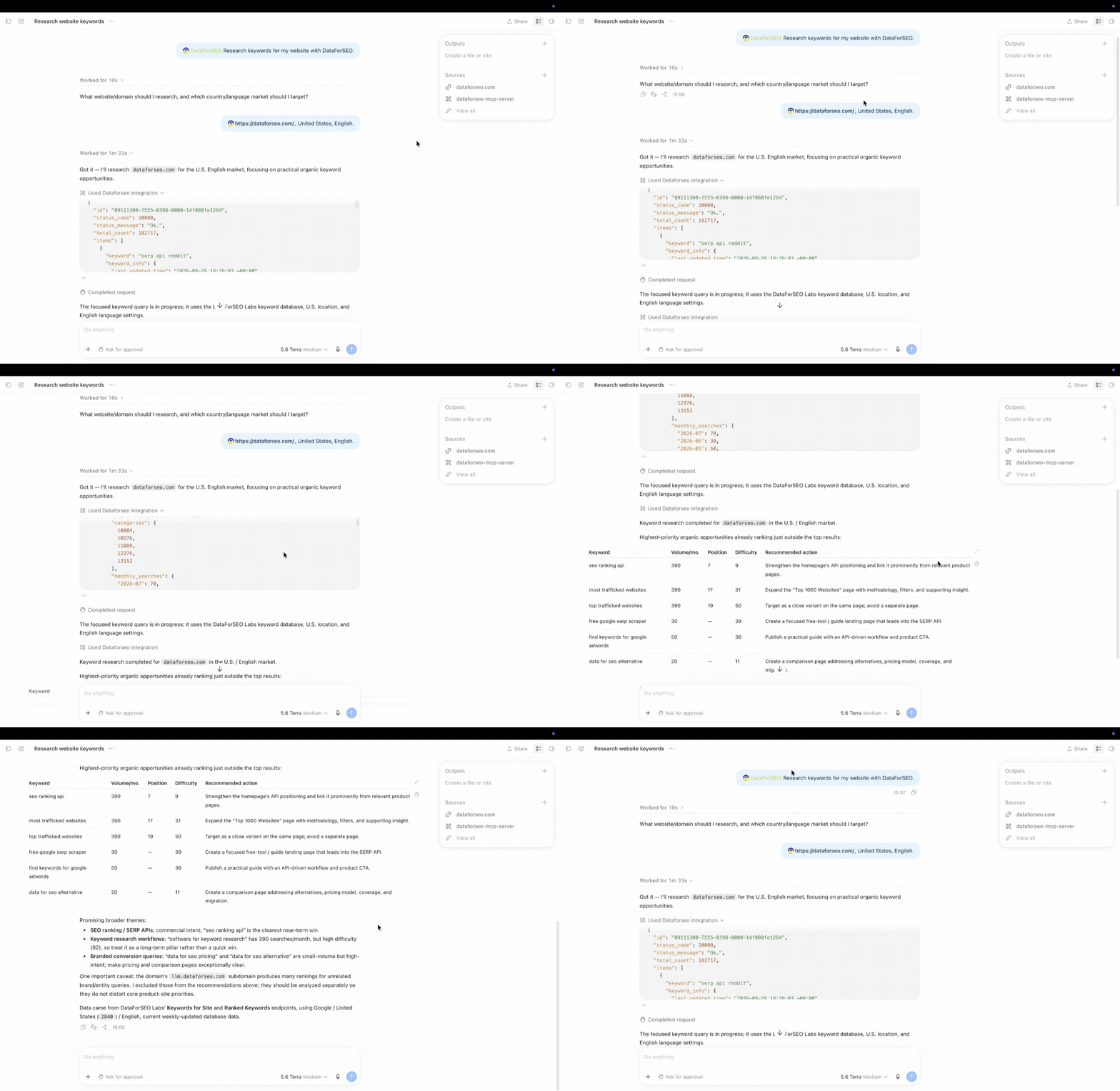
Here is the result. Codex uses the plugin to call DataForSEO APIs in real time and fetch data to generate a response.
Additionally, the DataForSEO plugin works perfectly with our custom GEO and SEO skills for LLMs. With these skills, you can generate end-to-end visual reports, prospect lists, and build content plans right in ChatGPT.
Here is the SEO Visibility Report skill in action. You answer a few short questions about the target company, and the AI starts building a report.
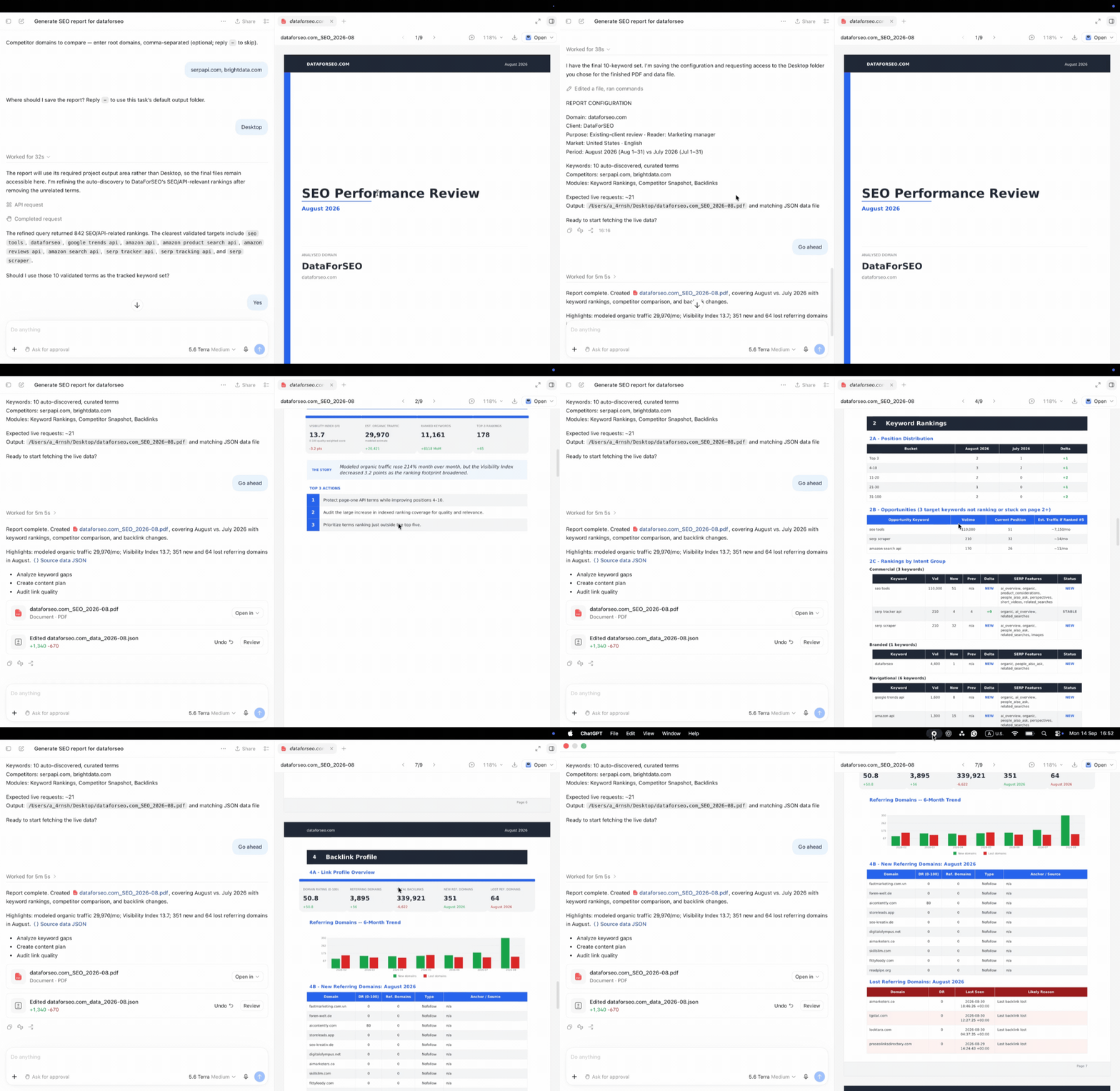
After a couple of minutes, you get a customer-ready SEO report in PDF, backed by real data.
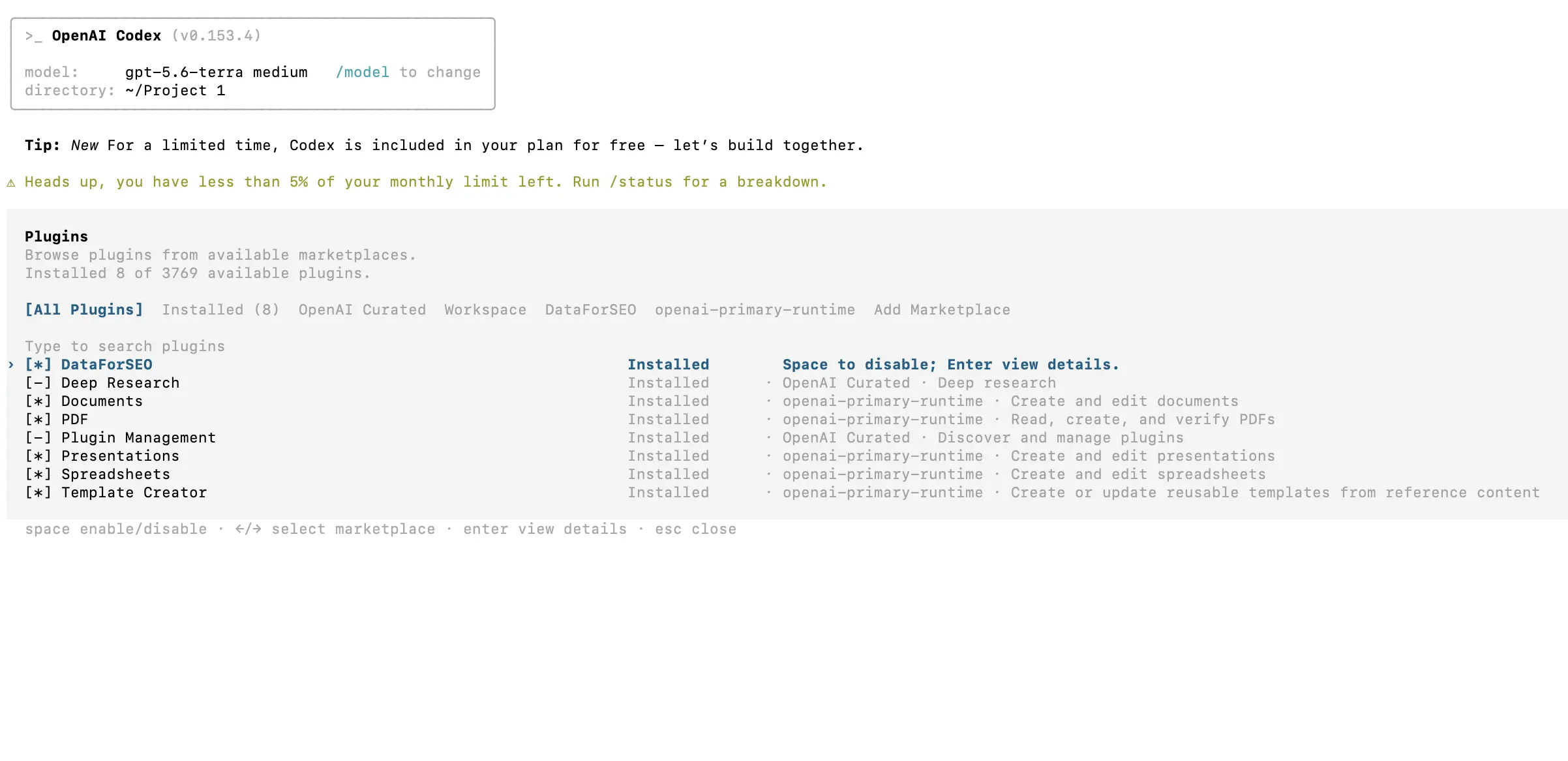
It is worth noting that if you have ChatGPT and Codex CLI installed on the same device, you can also access the DataForSEO plugin in Codex CLI. Both apps share installed plugins.
If you run into any problems while connecting the DataForSEO Codex plugin, contact our 24/7 customer support.